

Your sale campaign goes live on Monday morning. By lunch, checkout errors start hitting newer Samsung phones in your Shopify app. At the same time, a field technician in Adelaide tries to update a job in your Odoo ERP mobile app, loses signal during a network handoff, and the record never syncs. QA signed off the release. The business still wears the failure.
Weak mobile testing shows up in revenue, support volume, staff productivity, and customer retention. For Sydney retailers, Adelaide service teams, and healthcare providers running patient-facing or staff apps, a bug is rarely just a bug. It turns into abandoned carts, missed updates, delayed appointments, and manual rework.
In Australia, the risk is bigger because mobile usage is high, and users expect apps to work across the devices and network conditions they use. If your app supports an Odoo implementation, a Shopify or WooCommerce storefront, or a custom business process, testing directly affects commercial performance and operational stability. Teams building for mixed environments should plan for multi-platform mobile app development realities from the start, not after production issues appear.
I've seen the same pattern across business apps. A release looks fine in staging, then fails under real customer behaviour, poor reception, older Android hardware, or edge-case input from busy staff on the floor. That is why testing needs to cover how the app earns money, how it handles pressure, and how fast the team can catch regressions before users do.
This guide examines nine mobile app testing best practices for 2026, with practical checklists and examples for Australian business apps, including Odoo ERP, Shopify and WooCommerce commerce builds, and custom healthcare and service platforms used by teams in Sydney and Adelaide. If you're also reviewing broader innovation planning, these R&D Tax Incentive insights are worth bookmarking.
1. Device Fragmentation Testing Across Multiple Platforms

A Sydney retailer pushes a mobile release on Friday. Checkout passed on the team's test iPhone and one recent Android device, yet by Monday support is dealing with failed payment handoffs on Samsung phones, cropped fields on smaller screens, and login issues on older Android versions. That pattern is common in business apps. The bug is not in the feature alone. It is in the gap between the devices you tested and the devices your customers and staff use.
Device fragmentation is a business risk, not just a QA inconvenience. Android vendors ship different screen sizes, chipsets, memory limits, camera behaviour, and OS customisations. Apple is more controlled, but older iPhones still expose layout, performance, and OS compatibility issues that newer models hide. For Odoo ERP apps, that can mean broken barcode scanning or failed field-service updates. For Shopify and WooCommerce storefronts, it usually shows up as lost conversions during login, product search, cart, or payment.
Physical device testing catches issues emulators miss. Google's Android testing guidance recommends running tests across a representative device and configuration matrix because hardware capability, screen density, API level, and manufacturer changes can alter app behaviour in production (Android testing best practices). That advice matters even more for Australian companies supporting mixed fleets across metro and regional users, older handsets, and bring-your-own-device policies.
One healthcare example illustrates the trade-off. A patient app may run cleanly on current iPhones in internal testing, then crash on an older model still common among older users because memory pressure is higher during image upload and form validation. A warehouse app tied to Odoo can work well on a premium device but fail on lower-spec Zebra or Samsung hardware used on the floor. A polished Shopify build can still lose sales if a payment modal or promo code field breaks on a high-volume Android model your QA matrix ignored.
What good coverage looks like
Start with usage data, not a long wishlist of devices. Pull analytics, support tickets, revenue by device family, and OS distribution. Then build a test matrix around the combinations that affect money, operations, and customer trust. Teams planning multi-platform mobile app development across iOS and Android device mixes need this discipline early, before release cycles get faster and defects get harder to isolate.
Practical rule: Test the devices that drive revenue first, then the devices that create support cost.
- Prioritise top device and OS combinations: Cover the handsets and OS versions that represent the largest share of sessions, orders, or staff activity.
- Include lower-spec and older devices: They expose memory leaks, long render times, keyboard overlap, and background sync failures faster than premium models.
- Test manufacturer-specific behaviour: Samsung, Pixel, Oppo, and enterprise Android devices can handle permissions, notifications, and payment flows differently.
- Check screen classes and orientations: Small screens, tall aspect ratios, tablets, and rotation still break forms, dashboards, product galleries, and approval workflows.
- Run critical-path tests on real hardware: Focus on login, checkout, barcode scan, camera upload, push notifications, and offline recovery.
- Review failures by business impact: Fix the issue that blocks payment, job completion, or patient access before cosmetic defects on low-value screens.
I usually ask one question before sign-off. If this release fails on the devices your Sydney customers or Adelaide field teams use, what revenue, service time, or support cost does that create by next week? That framing leads to better device coverage decisions than any generic checklist.
2. Performance and Load Testing Under Real Network Conditions

A field technician closes a job in outer Adelaide, the signal drops from site Wi-Fi to 4G, and the app spins long enough for the user to tap Submit twice. A Sydney shopper hits your Shopify sale page during the lunch rush, product cards stall, and checkout times out. Both failures look technical. Both turn into revenue loss, support tickets, and manual rework within hours.
Performance testing needs to reflect the network conditions your users face. Office Wi-Fi hides too much. Australian business apps often fail at the edges: patchy coverage, overloaded APIs, stale caches, and poor retry logic during network changes. In Odoo mobile workflows, that leads to duplicate submissions, missing sync events, and staff losing confidence in the app. In Shopify and WooCommerce stores, it shows up as slower search, delayed cart updates, and abandoned checkouts.
I treat this as a business-risk exercise first, not a benchmarking exercise. The goal is not to produce a pretty response-time chart. The goal is to prove that critical actions still complete when the network is slow, unstable, or switching mid-session.
Test the connections your users really use
Run tests on 3G, 4G, 5G, public Wi-Fi, captive portals, packet loss, and intermittent dropouts. Simulate handoffs between Wi-Fi and mobile data during login, payment, stock lookup, media upload, and background sync. Android Studio and Xcode both give teams useful ways to shape network conditions, but real-device sessions on live carrier networks still catch issues lab tools miss.
For apps with a strong user flow, this usually starts with mobile UX design principles for business apps. If the flow already depends on too many API calls, poor network conditions will expose that design debt fast.
One pattern comes up repeatedly in Odoo projects. A warehouse or service app performs well on a stable office connection, then starts failing when users move around a site, enter lift shafts, or travel between clients. Requests get interrupted, local state falls out of sync, and staff retry actions without knowing whether the first request succeeded. That is how duplicate stock movements, repeated job notes, and invoice disputes start.
The same logic applies to commerce. A promotion can push far more concurrent product, pricing, and checkout requests than normal daily traffic. If backend paths are not load-tested under realistic latency, the app may stay online but still feel broken to customers.
Use a checklist that maps directly to business outcomes:
- Throttle aggressively: Test poor and unstable network conditions, not only clean office connections.
- Load test priority APIs: Focus on login, product search, pricing, stock lookup, checkout, booking, and job sync under concurrent usage.
- Validate retry behaviour: Confirm the app handles timeouts, partial failures, and interrupted requests without creating duplicates.
- Check cache rules: Verify what stays available offline, what refreshes in the background, and what must block the user until confirmed.
- Test network switching mid-task: Move from Wi-Fi to mobile data during active requests and confirm data integrity, user messaging, and recovery paths.
- Measure on lower-spec devices: Slow phones plus weak networks expose rendering delays and request bottlenecks much faster.
Slow performance is rarely just a speed problem. It blocks payment, dispatch, stock accuracy, clinical workflows, and customer trust.
Healthcare and field-service apps need extra discipline here. A patient portal that stalls while loading records creates anxiety and support calls. A clinician app that times out during image upload or form submission can disrupt care delivery. In regulated environments, failed retries and unclear status messages also create audit and compliance headaches.
Performance work usually pays back quickly because it cuts both lost transactions and internal handling time. Teams in Sydney and Adelaide feel that return fast in retail peaks, warehouse shifts, service runs, and appointment-heavy operations. Test under real network stress, fix the highest-cost failure paths first, and the app will hold up where it matters.
3. Usability and User Experience Testing with Real Users
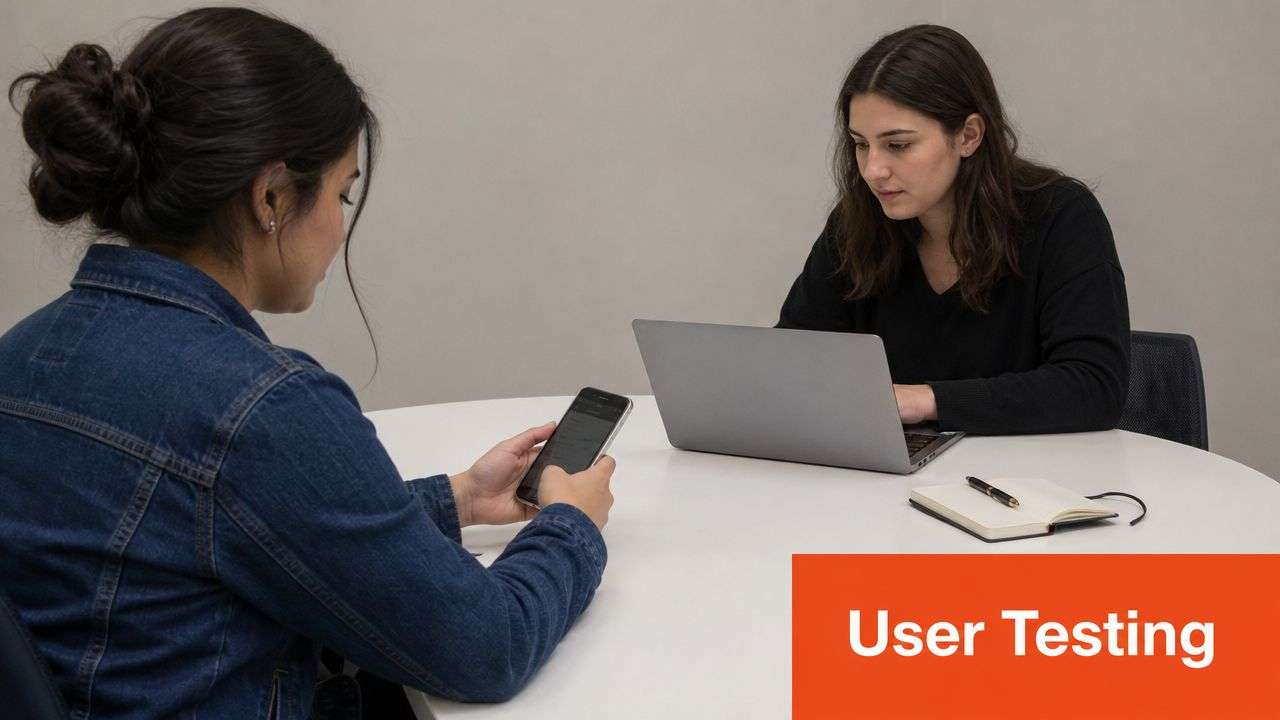
A Sydney clinic launches its patient app on time. Booking works. Reminders send. Support calls still spike in the first week because patients cannot tell whether they booked, requested, or merely viewed an appointment slot. That is a usability failure, and it costs money fast.
I see the same pattern in Shopify and WooCommerce builds, Odoo mobile workflows, and custom business apps used by field teams in Adelaide. The logic is correct, but the flow asks too much of the user. Labels reflect internal terminology. Important actions sit below the fold. Confirmation states are too subtle. Users hesitate, retry, abandon, or call staff for help.
Usability testing with real users catches the defects functional testing misses. For Australian business apps, that usually means checking how local customers, staff, or patients handle consent wording, booking language, GST-related pricing presentation, delivery choices, and task-heavy screens used under time pressure. Teams that already follow strong user experience design principles usually get better results here because they test the decision points, not just the screen states.
Test the journeys that affect revenue, service speed, and support load
A warehouse user adjusting stock in Odoo should not need to stop and interpret the sequence. A retail customer checking out on a Shopify app should understand shipping options on the first pass. A healthcare user should know what action was completed, what is pending, and what happens next.
That is the standard.
Recorded sessions and moderated tests give better signals than opinion surveys alone. Watch where people pause, re-read labels, tap the wrong element, or back out of a form. Those moments explain cart abandonment, failed bookings, duplicate submissions, and avoidable training overhead far better than a generic drop-off report.
Use a simple checklist:
- Recruit end users: Include buyers, dispatch staff, warehouse teams, clinicians, patients, or admin staff who perform the job.
- Test one high-value journey per session: Booking, checkout, stock adjustment, proof of delivery, approvals, and account recovery are better tested separately.
- Look for behaviour, not preference: Wrong taps, long pauses, and repeated backtracking matter more than comments like "I don't love this screen."
- Check wording and confirmation states: Users need to know what they selected, what saved successfully, and what still needs action.
- Retest with fresh participants after changes: Internal teams learn the flow too quickly to judge whether the fix was effective.
There is also a business trade-off here. Broad usability studies are expensive and slow. For most Odoo, Shopify, and custom app projects, the best return comes from testing the three to five journeys tied directly to revenue, fulfilment, patient access, or staff productivity. Fix those first. That is usually where a company in Sydney or Adelaide gets the fastest reduction in support tickets and task time.
One more point matters. UX and security often intersect in mobile apps. If privacy prompts, login recovery, or session expiry messages confuse users, they make bad decisions or abandon the task. The guide for robust application security is useful background here because secure flows still need to be clear enough for real people to complete correctly.
For mobile app testing best practices, usability testing is where product quality starts showing up in conversion rates, staff efficiency, and customer trust.
4. Security and Penetration Testing for Data Protection
A Sydney retailer launches a mobile sales app before EOFY. Staff can log in, check stock, and approve discounts from the floor. Two weeks later, someone extracts a token from the app package, calls an API directly, and pulls data they should never see. The app still “works,” but the business is now dealing with incident response, customer notifications, and a board-level problem.
That is how mobile security failures usually show up. Initially subtle, then all at once.
For Odoo ERP apps, Shopify and WooCommerce storefronts, and custom healthcare or field-service builds, the risk sits in places users never notice during a normal test pass: local storage, debug logs, API authorisation, certificate handling, third-party SDKs, and backend trust assumptions. A missed issue here can expose payroll records, order history, patient details, delivery data, or internal pricing rules. In Australian businesses, that means direct cost, compliance pressure, and lost trust with customers and staff.
I see the same patterns repeatedly. Secrets are bundled into the binary. Refresh tokens sit in plain storage. Sensitive actions are validated in the client instead of the server. Teams test the happy path login flow, but they never test what happens if a request is replayed, a parameter is changed, or a low-privilege user calls an admin endpoint.
What to test before release
Penetration testing should reflect how the app will be attacked in production, not just how it is supposed to behave in staging. For business apps, the priority is simple: test the flows tied to money, regulated data, and operational control.
Use this release checklist:
- Inspect the app package: Check whether API keys, tokens, environment values, or endpoint details can be extracted from the IPA or APK.
- Test local data storage: Verify that cached records, session data, downloaded files, and logs do not expose customer, patient, or employee information.
- Tamper with API requests: Change IDs, roles, prices, quantities, and approval states to confirm the server enforces authorisation on every request.
- Replay sensitive actions: Repeat payment, approval, password reset, and booking requests to see whether duplicate or stale requests are accepted.
- Check transport security: Validate TLS configuration, certificate handling, and failure behaviour on hostile or misconfigured networks.
- Review third-party SDK behaviour: Analytics, chat, ad, and support tools often collect more data than product teams expect.
- Verify session controls: Test logout, token expiry, device changes, and account switching, especially in shared-device environments.
One field rule saves teams a lot of pain. If a secret can be extracted from the app, treat it as already exposed.
The business trade-off is straightforward. Full security testing across every screen and endpoint takes time, and many teams do not have that budget on every sprint. The better return comes from targeting the highest-risk journeys first: mobile checkout for Shopify, stock and approval workflows in Odoo, and patient access or clinician actions in healthcare apps. That is where a company in Sydney or Adelaide is most likely to prevent a breach, avoid rework, and reduce legal and support costs.
A strong guide for robust application security pairs well with mobile-specific testing when you're securing custom business apps.
5. Automated Testing with UI Automation Frameworks
Manual testing catches nuance. It doesn't scale well for repetitive regression. If your team ships often, UI automation is what stops obvious breakage from escaping every sprint.
That matters because 58% of AU QA teams now integrate automated testing into every sprint, cutting bug detection time by 35%, according to Australian QA automation benchmarks. For teams managing frequent releases in Shopify implementation work, ongoing Odoo module updates, or custom apps with several client environments, that speed is hard to ignore.
The mistake is trying to automate everything from day one. That creates brittle suites, slow pipelines, and constant maintenance. What works better is targeting high-value user journeys first. Login. Search. Add to cart. Checkout. Purchase order approval. Delivery confirmation. Those flows carry business risk, and they repeat often enough to justify automation.
Automate the right journeys
A retail app can run automated checks across search, cart, payment, and confirmation on every build. An Odoo mobile app can validate purchase order creation and approval paths after each config change. A WooCommerce app can verify filters, coupon logic, and order submission before a campaign launch.
I prefer Appium for broader cross-platform coverage, Espresso for Android-heavy stacks, and XCTest for deeper native iOS confidence. The framework matters less than the discipline around test design, data setup, and pipeline ownership.
- Start with critical paths: Cover workflows that affect revenue, compliance, or daily operations.
- Keep test data realistic: Production-like catalogues, customer types, and stock states expose more issues.
- Run tests in CI/CD: Every merge should trigger smoke coverage before release decisions.
- Cull flaky tests fast: A suite nobody trusts is worse than a smaller suite that reliably fails when it should.
Automation supports mobile app testing best practices best when it protects business-critical flows, not when it chases vanity coverage.
6. Crash and Stability Testing with Real-World Scenarios
A Sydney dispatcher approves a delivery run from a mobile app, then the signal drops as the driver heads underground. If that app freezes, loses the draft, or reopens to a blank state, the problem is not just technical. It delays jobs, creates duplicate work, and pushes staff back to calls, spreadsheets, or paper.
Crash and stability testing should mirror the interruptions people deal with every day. Rotate the phone during an API request. Send the app to the background during sync. Trigger an incoming call while a patient is confirming an appointment. Let the OS reclaim memory, then reopen the app and check whether the session, draft, or cart still makes sense.
I've seen ordinary edge cases cause expensive failures. An Odoo field service app can drop unsaved notes when coverage shifts between 5G and weak regional signal outside Adelaide. A Shopify or WooCommerce storefront can crash after repeated filter changes, image-heavy browsing, and an interrupted payment handoff. A healthcare app can fail at the worst point possible, right after a user submits intake details but before confirmation appears.
Test failure recovery, not just failure detection
The point is not to prove that an app can crash under pressure. The point is to prove it can recover in a way that protects revenue, operations, and trust. For business apps, the key checks are straightforward. What was the user doing, what data was stored, and what happens when they return?
Use a checklist like this during stability passes:
- Interrupt active workflows: calls, push notifications, biometric prompts, permission popups, and app switching
- Force lifecycle changes: pause, resume, terminate, restore, and reopen after idle periods
- Test weak network behaviour: packet loss, timeout, reconnection, and partial sync states
- Check state persistence: carts, draft forms, approval steps, and offline entries should survive normal interruptions
- Profile memory over time: long browsing sessions, repeated screen transitions, and large media uploads often expose leaks
- Review crash reporting daily: Firebase Crashlytics and Sentry help teams prioritise crashes by user impact, device, and release
Australian business apps need this discipline because users are often mobile, interrupted, and operating in variable network conditions. That applies to warehouse teams scanning stock, clinicians moving between rooms, and retail customers checking out on the train. GitDocAI's translation writing insights focus on localisation, but the same product rule applies here. Real usage conditions decide whether an app feels dependable.
A stable release reduces support tickets, protects completed transactions, and lowers the cost of rework after launch. That is the ROI. Fewer crashes mean more completed bookings, cleaner Odoo records, and fewer abandoned checkouts.
7. Localisation and Internationalisation Testing Across Markets
A Sydney customer opens your Shopify app during a lunch break, sees the wrong currency format, and pauses before paying. An Adelaide clinic patient reads consent text that wraps badly on mobile and starts questioning whether the app handles their records with the same level of care. Those are not cosmetic defects. They directly affect conversion, trust, and support load.
Localisation work matters for Australian apps even before a business expands overseas. Odoo field teams may switch device language settings. Shopify and WooCommerce stores may sell across regions with different date, tax, and shipping expectations. Healthcare and booking apps need language that reads naturally and fits regulated workflows. GitDocAI's translation writing insights are useful here because clear source copy reduces downstream translation issues before QA even starts.
I've seen teams approve every translated string in a spreadsheet, then miss the defects that hurt users. The app looked fine in review. It broke on device. Text expansion pushed buttons below the fold. A compact Odoo mobile form became hard to complete because translated labels overflowed the input area. A WooCommerce checkout displayed cleanly in English but clipped key actions in German and French. In healthcare apps, poor phrasing in translated consent or appointment instructions creates a legal and operational risk, not just a UX problem.
The fix is to test localisation inside real user journeys, with real device settings.
Change the device language, region, time zone, calendar, number formatting, and currency defaults. Then run the workflow end to end. Search products, add items to cart, calculate shipping, submit forms, complete payment, open invoices, read push notifications, and check confirmation emails. Device-level settings expose problems that app-level language toggles often miss.
Use a checklist like this during localisation passes:
- Test locale settings on the device: language, region, date format, time zone, currency, and decimal separators
- Run critical flows end to end: checkout, bookings, approvals, patient intake, order tracking, and invoice review
- Check text expansion and contraction: buttons, tabs, form labels, error states, and navigation titles need room to grow or shrink
- Review font and character support: Chinese, Arabic, and accented Latin characters must render correctly across screens and PDFs
- Validate dynamic content: notifications, receipts, emails, order summaries, and exported documents often fail after the UI passes
- Check translation quality with human review: machine output may be readable but still sound unnatural, unclear, or unsafe in regulated use cases
This work pays back quickly. Better localisation increases checkout completion for commerce apps, reduces booking errors in service businesses, and lowers support tickets from confused users. For companies in Sydney and Adelaide running Odoo, Shopify, WooCommerce, or custom mobile systems, localisation testing protects revenue and trust in markets where users notice small details fast.
8. Battery and Power Consumption Optimisation Testing
Users rarely file a polite ticket saying your app drains power too aggressively. They stop using it. For field teams, they also blame the app when a device doesn't last the shift.
Battery testing is especially important in logistics, field service, healthcare, and manufacturing. These users keep the app open for long periods, rely on background sync, and often need GPS, camera, barcode, or notification features at the same time. A poorly behaved app can ruin the day even when every feature technically works.
A familiar example is a logistics app that keeps requesting precise location updates far more often than the workflow needs. Another is a clinic tool that syncs constantly in the background even when no urgent records changed. I've also seen internal Odoo mobile apps keep polling and waking the device while idle because nobody revisited background behaviour after early development.
Optimise for workday reality
Good battery testing happens on real devices over realistic usage windows. An hour in the lab won't tell you enough about an eight-hour shift. You need to watch what happens with background sync, camera use, navigation, poor coverage, and repeated screen transitions.
Tools help. Android Battery Historian and Xcode Energy Log make it easier to spot power-hungry tasks, but the most useful insight usually comes from tying those readings back to real workflows. Which screen keeps the radio active? Which sync job wakes too often? Which map view never releases resources?
- Reduce polling frequency: Batch non-critical sync instead of making constant calls.
- Use the right location mode: Not every workflow needs continuous high-accuracy GPS.
- Respect background limits: Stop work that isn't mission-critical when the app isn't active.
- Test low-power modes: Battery saver settings change behaviour and can expose hidden assumptions.
Battery optimisation supports ROI in a very practical way. Staff stay productive longer, support teams deal with fewer complaints, and users stop associating your app with device frustration.
9. Accessibility Testing for Inclusive App Design
A patient in Sydney tries to confirm an appointment on a phone with larger text enabled. The primary button drops below the visible area, the form fields lose their labels in VoiceOver, and the booking fails. For the business, that is not a minor UX defect. It means missed appointments, more calls to the front desk, and lower trust in a service that should feel safe and easy to use.
Accessibility testing protects revenue and reduces support load because it catches the kind of failures that block real users from finishing high-value tasks. That matters for healthcare apps, Shopify and WooCommerce storefronts, and custom business tools such as Odoo mobile workflows. If a warehouse picker cannot read stock status because the app relies on red and green alone, picking slows down and errors rise. If a customer with low vision cannot complete checkout, conversion drops for a reason analytics rarely explain clearly.
Teams in Adelaide and Sydney often treat accessibility as a compliance item near release. In practice, it works better as a task-completion standard: can a user finish the job with a screen reader, with larger text, with reduced motion, or with limited dexterity? That standard finds defects earlier and prevents expensive rework late in QA.
Test with assistive technology and real business flows
A useful accessibility pass includes VoiceOver on iPhone, TalkBack on Android, large text settings, zoom, reduced motion, colour contrast checks, and keyboard-style navigation where the app supports external input. Run those checks against the workflows that matter to the business, not just isolated screens. In Odoo, test stock receipt, approval, and field service steps. In eCommerce, test search, product options, cart edits, checkout, and order tracking. In healthcare, test consent, booking, secure messaging, and prescription-related actions.
Strong design systems help, but they do not catch missing labels, broken focus order, poor error messaging, or tap targets that are too small during real use. Teams improving inclusive digital products across channels should also review accessibility principles in modern web design, because many of the same interaction and content patterns carry across mobile apps and responsive business portals.
Build each key workflow so a user can complete it without relying on perfect vision, precise motor control, or animation cues.
- Name every control clearly: Buttons, icons, and form fields need accessible labels that match the task.
- Do not rely on colour alone: Add text, icons, or status indicators that remain clear for colour-blind users.
- Increase tap target size: Small targets slow down warehouse staff, field teams, older users, and anyone using the app one-handed.
- Test text scaling and reflow: Content must stay usable when users increase text size substantially.
- Check error handling: Validation messages should be announced by screen readers and explain how to fix the issue.
- Verify focus order: The reading and interaction sequence should follow the business task logically.
Accessibility work pays back in measurable ways. More users complete checkout, patient self-service works with fewer staff interventions, and internal teams make fewer mistakes under pressure. Inclusive apps are easier to use, easier to trust, and cheaper to support.
Comparison of 9 Mobile App Testing Best Practices
| Testing Approach | 🔄 Implementation Complexity | 💡 Resource Requirements | ⭐ Expected Outcomes | 📊 Ideal Use Cases | ⚡ Key Advantages |
|---|---|---|---|---|---|
| Device Fragmentation Testing Across Multiple Platforms | High, large device/version matrix, OEM quirks | Device lab or cloud device farm, automation, maintenance budget | Fewer platform-specific crashes and UI issues; higher conversion | Retail/eCommerce apps, custom Shopify/WooCommerce, broad consumer base | Prevents device-specific failures and expands market reach |
| Performance and Load Testing Under Real Network Conditions | Medium–High, network/profile and load engineering | Throttling tools, load generators, profiling tools, expertise | Reliable responsiveness under variable networks; fewer timeouts | Logistics, supply chain, ERP field apps, flash-sale eCommerce | Identifies bottlenecks; improves app responsiveness and scalability |
| Usability and User Experience Testing with Real Users | Medium, recruitment, session facilitation, analysis | Participants, facilitators, remote/usability tools, recording | Uncovered UX friction, higher task completion and satisfaction | Patient portals, checkout flows, appointment booking, Odoo workflows | Reveals qualitative issues automated tests miss for better UX decisions |
| Security and Penetration Testing for Data Protection | High, specialised skills and controlled testing scope | Security consultants, pentest tools, code reviews, remediation effort | Discovered vulnerabilities, compliance assurance, reduced breach risk | Healthcare, payment-enabled retail, enterprise Odoo with sensitive data | Protects data, ensures regulatory compliance, reduces legal/reputational risk |
| Automated Testing with UI Automation Frameworks | Medium–High upfront, scripting and maintenance overhead | Automation engineers, Appium/Espresso/XCTest, CI/CD, device grids | Fast regression detection, consistent test execution, faster releases | Frequent releases: retail campaigns, Odoo updates, SaaS integrations | Rapid, repeatable checks at scale; reduces manual regression effort |
| Crash and Stability Testing with Real-World Scenarios | Medium, scenario design and reproducibility challenges | Crash reporting (Crashlytics/Sentry), profiling tools, devices | Reduced crashes, graceful interruption handling, improved retention | Mission-critical apps: logistics tracking, healthcare, warehouse ERP | Improves robustness; prevents data loss and negative reviews |
| Localisation and Internationalisation Testing Across Markets | Medium–High, many locales and cultural checks | Native translators, regional testers, pseudolocalisation tools | Correct locale formatting, readable UI, higher adoption in new markets | International retail, multicultural healthcare, region-specific services | Enables market expansion; avoids cultural/formatting errors |
| Battery and Power Consumption Optimisation Testing | Medium, long-duration profiling and varied scenarios | Device fleet, energy profilers (Battery Historian/Xcode), time | Lower power drain, longer operational uptime for field users | Field service, logistics, healthcare shift-based apps | Extends device runtime; improves field productivity and retention |
| Accessibility Testing for Inclusive App Design | Medium, specialist knowledge and assistive tech testing | Accessibility experts, assistive tech users, validation tools | WCAG-compliant, usable by disabled/elderly users, lower legal risk | Healthcare, education, government, apps serving diverse populations | Expands audience, ensures compliance, improves overall usability |
Build Your Unbreakable App with Wistec
Implementing strong mobile app testing best practices isn't a one-off exercise. It's an operating discipline. Teams that treat testing as a release gate only at the end usually find defects too late, when the fixes are slower, riskier, and more expensive to push through production.
The better approach is continuous. Test on real devices early. Automate the business-critical paths. Run performance checks against unstable networks. Validate localisation, accessibility, and privacy flows before the app reaches customers or staff. Then keep monitoring after launch because real usage always exposes edge cases that no planning session can fully predict.
That matters whether you're running a public-facing commerce app or an internal operations tool. For a Shopify implementation, good testing protects checkout, promotions, product browsing, and customer confidence during busy campaigns. For WooCommerce, it helps you avoid breakage caused by plugin changes, mobile rendering issues, and fragile checkout logic. For a custom Odoo implementation, it protects the workflows that teams rely on every day, such as stock updates, dispatch, approvals, service reports, and field data capture.
The business case is straightforward. Better testing means fewer crashes, fewer support tickets, less rework, stronger conversion, and more reliable operations. It also helps leadership make cleaner delivery decisions because quality stops being guesswork. You know what passed, where the risks are, and which workflows are safe to ship.
Wistec brings that practical mindset to delivery. As a trusted Australian software team and a recognised ODOO partner Sydney Adelaide businesses can work with closely, Wistec understands that quality isn't only about code elegance. It's about protecting commercial outcomes. That includes odoo erp rollouts, mobile extensions for internal business systems, and eCommerce builds that need to perform across real customer devices.
If your business is planning software development sydney Adelaide teams will use in the field, on the shop floor, or in customers' hands, the testing strategy should be built in from the start. The same is true if you're reworking an ageing app that already suffers from crashes, sync failures, or poor mobile conversions. Fixing those issues usually requires more than patching symptoms. It takes disciplined QA, better release processes, and a sharper link between technical decisions and business impact.
Wistec supports businesses across retail, logistics, manufacturing, hospitality, healthcare, education, and professional services with solution-driven delivery. Whether you need a reliable Odoo ERP implementation, a high-converting Shopify or WooCommerce store, or a custom mobile application, the goal is the same. Build software people can trust under real-world conditions.
Ready to build an app your users can depend on? Contact Wistec today for a consultation.
Talk to Wistec if you need a partner who can handle strategy, design, development, odoo implementation, Shopify implementation, WooCommerce delivery, and the testing discipline required to launch with confidence.