

Your team probably knows where everything is. The problem is that every answer lives in a different place.
Sales sits in a CRM. Orders arrive through Shopify or WooCommerce. Stock levels live in a spreadsheet that only one person trusts. Payroll is handled in another platform. Finance closes the month by chasing missing invoices, duplicate supplier bills, and order values that don’t match what was shipped. When that’s your normal, the business keeps moving, but it moves with friction.
That friction gets expensive fast. Staff spend their day retyping data, checking versions, and fixing preventable errors. Managers make decisions with partial information. Customers feel the cracks first through delayed dispatch, incorrect invoices, and poor follow-up.
That’s where the modules of erp matter. They aren’t a technical feature list. They’re the building blocks that turn scattered functions into one operating system for the business.
Your Business Is Drowning in Data Chaos
A common pattern shows up before an ERP project even starts. A business grows by adding tools one by one because each tool solves an immediate problem. Xero or another accounting package handles finance. A separate CRM tracks leads. Shopify implementation supports online sales. A warehouse app handles picking. Rosters sit elsewhere. None of these decisions are wrong on their own.
The trouble starts when the business needs one reliable answer to a simple question. What did we sell, what do we still have, what was the margin, and who needs to act next?
For many owners, that answer takes too long to find. Someone exports orders. Someone else checks stock. Finance verifies payment status. Operations checks dispatch. Customer service then updates the buyer manually. That process might work for a small team, but once order volume, product range, or staffing complexity increases, the business starts running on memory instead of process.
What this looks like in practice
A retailer with online and in-store sales often discovers the issue first in inventory. A product shows as available on the website, but it’s already committed to another order. The warehouse ships late. Customer service handles the complaint. Finance then deals with a refund or credit note. One bad stock record creates work across four teams.
A professional services firm sees the same problem in a different form. Time entries sit in one system, project budgets in another, and invoicing in a third. Work gets delivered, but billing slips because no one has a clean, connected workflow from timesheet to invoice.
You don’t usually notice data chaos when sales are slow. You notice it when the business gets busy and your systems can’t keep up.
ERP solves that by replacing disconnected records with a shared process. Instead of every department keeping its own version of reality, everyone works from one system. That’s why the modules of erp matter so much. Each module handles a core business function, but the value appears when they work together.
What Is an ERP System Really
An ERP system is the business brain. It connects your finance, sales, purchasing, stock, operations, and people data so the business can act on one version of the truth.

If that sounds abstract, think about what happens without it. Each department keeps records in its own tool. Staff spend time updating multiple systems. Reports conflict because the inputs don’t match. An ERP changes that operating model. One action in the system triggers the next one automatically, with the same record flowing through the process.
Breaking down ERP in plain English
Enterprise means the whole business, not just one team.
Resource means the money, stock, staff, suppliers, customers, and assets you rely on.
Planning means turning all that information into coordinated action.
That’s why ERP isn’t just accounting software with add-ons. It’s a platform that links what the business sells, buys, makes, stores, bills, and reports on.
The part most businesses miss
The software itself matters, but the database structure matters more. In a connected ERP, the customer, product, supplier, employee, and transaction records don’t sit in isolated apps. They sit inside one system and feed each other.
When a sales order is confirmed in Odoo, it can update stock availability, trigger a picking operation, create the invoice path, and give finance visibility without anyone re-entering the same data. That’s the practical difference between “having software” and “having an ERP”.
Practical rule: If your team has to key the same information into multiple systems, you probably don’t have a process problem alone. You have a systems design problem.
Why business owners care once it’s live
Owners rarely buy ERP because they want more screens. They buy it because they want fewer delays, fewer manual checks, and more confidence in decisions.
The strongest ERP setups usually deliver value in a few visible ways:
- Cleaner financial control: Revenue, costs, receivables, payables, and margins become easier to track.
- Faster operations: Orders move through a defined workflow instead of email chains and handoffs.
- Better accountability: Teams can see who did what, what’s blocked, and what’s overdue.
- Sharper reporting: Managers don’t need to reconcile conflicting exports before making a decision.
- Scalable growth: New products, channels, warehouses, or service lines can be added without rebuilding everything.
For businesses looking at the modules of erp, that’s the key shift. You’re not buying separate features. You’re building a shared operating system that lets each department work as part of the same machine.
Core Modules of ERP The Engine Room of Your Business
The core modules of erp are the parts that keep daily operations moving. Some businesses need every major module from day one. Others start with finance, inventory, and sales, then add more later. What matters is understanding which module solves which operational problem.

One signal is clear in market demand. Accounting functionality remains the most critical ERP module for businesses worldwide, with 89% of ERP buyers identifying it as their primary feature requirement. Inventory and distribution come next at 67%, followed by CRM at 33%, according to Software Connect’s ERP statistics summary. That aligns with what most implementation teams see on the ground. If finance isn’t reliable, every other module loses credibility.
For readers comparing platforms, this overview of how NetSuite ERP helps small businesses is useful because it shows how modular ERP thinking applies across systems, not only one product family.
Finance and accounting
This is the financial spine of the ERP. It manages general ledger, accounts payable, accounts receivable, bank reconciliation, invoicing, tax handling, and reporting.
In Odoo, this usually becomes the anchor module because it reveals whether your upstream data is clean. If sales orders, purchasing, and stock movements are accurate, finance closes faster. If those records are messy, accounting exposes the problem immediately.
What it solves:
- Manual invoice handling: Finance stops retyping order details from separate systems.
- Delayed visibility: Owners can see receivables, payables, and cash position without waiting for manual reconciliations.
- Compliance friction: Tax and financial records stay tied to the source transaction.
CRM and sales
CRM tracks leads, opportunities, customer interactions, quotes, and deal stages. The sales module handles quotations, confirmations, pricing rules, and order conversion.
Many businesses treat CRM as a sales-only tool. In practice, it should shape the entire customer journey. In Odoo, a lead can move into a quote, then become a sales order, then feed invoicing and fulfilment. That continuity reduces handoff errors.
A practical Odoo example is a service firm that stores client contacts, proposal status, follow-up tasks, and invoicing triggers in one place instead of splitting them across email, spreadsheets, and accounting software.
Purchasing and supplier management
The purchasing module handles requests for quotation, supplier pricing, purchase orders, receipts, and bill matching. Businesses that buy a large range of stock, consumables, or raw materials often underestimate how much waste lives in poorly controlled procurement.
You see the problems quickly. Staff buy from the wrong supplier. The same item is purchased under different names. Goods arrive without clean receipt records. Supplier bills get approved even when quantities don’t match what landed.
Good purchasing workflows reduce leakage because the process is visible from order to receipt to payment.
Inventory and warehouse management
Inventory is where spreadsheets usually fail first. Once you hold stock across shelves, bins, vans, stores, or warehouses, manual updates can’t keep up reliably.
In Odoo, inventory and warehouse modules help teams manage receipts, putaways, internal transfers, picks, packs, dispatch, lot tracking, serial numbers, and reorder rules. This is often the module that changes day-to-day operations most dramatically because warehouse teams stop working from stale stock reports.
A stock problem is rarely just a warehouse problem. It affects sales promises, purchasing decisions, customer service, and cash flow at the same time.
Manufacturing and MRP
Manufacturing modules connect what you sell to what you need to make. They handle bills of materials, work orders, production planning, component consumption, and quality checkpoints.
Manufacturers often come to ERP after trying to run production from a mix of spreadsheets, whiteboards, and tribal knowledge. That setup works until material shortages, rework, or scheduling clashes hit. Odoo’s MRP tools help tie sales demand, raw material availability, and production timing into one process.
This is particularly useful when the same business also buys, stores, assembles, and ships products. Without ERP, each stage drifts into its own disconnected workflow.
HR and workforce management
HR modules vary by business type, but the core need is the same. Staff data, leave, attendance, payroll-related workflows, skills, rosters, and compliance records should not live in scattered files.
For service-heavy businesses, workforce visibility is operational, not administrative. If you can’t see who’s available, qualified, scheduled, or missing documents, work slows down and compliance risk rises.
Core ERP modules at a glance
| Module | Primary Function | Key Business Benefit |
|---|---|---|
| Finance & Accounting | Manages transactions, invoicing, tax, payables, receivables, reporting | Stronger control over cash flow and financial accuracy |
| CRM | Tracks leads, contacts, opportunities, activities | Better sales follow-up and customer visibility |
| Sales | Converts quotes to orders and manages pricing and order flow | Faster order processing and cleaner handover to operations |
| Purchasing | Handles supplier quotes, POs, receipts, and bill matching | Tighter spending control and fewer supplier errors |
| Inventory Management | Tracks stock levels, locations, transfers, and fulfilment | Improved stock accuracy and order reliability |
| Manufacturing | Plans production, components, work orders, and outputs | Better production coordination and material control |
| HR & Workforce | Manages employee records, leave, rostering, and workforce processes | Improved staffing visibility and operational consistency |
Businesses evaluating Odoo usually start by mapping these modules against current pain points. A retailer may focus on inventory, sales, and accounting first. A manufacturer may prioritise purchasing, MRP, quality, and finance. A consulting firm may begin with CRM, projects, timesheets, and invoicing.
If you’re assessing fit, Wistec’s overview of Odoo ERP modules and implementation pathways is a practical reference point because it shows how these modules can be combined around specific operating models rather than treated as isolated software features.
Industry Specific Modules Tailoring ERP to Your Sector
The modules of erp only create value when they match the way your industry works. Generic checklists don’t help much if your real issues involve multi-channel stock, regional freight, award interpretation, patient billing, or production quality checks.
That’s why a good Odoo implementation doesn’t begin with “which modules exist”. It begins with “what breaks inside your current workflow”.
Retail and eCommerce
Retailers often need more than a basic stock module. They need inventory, sales, returns, purchasing, point of sale, promotions, and eCommerce integration working together.
A real Australian pain point sits in multi-channel inventory. A 2024 Deloitte Australia survey of 150 eCommerce firms found that only 32% effectively use ERP inventory modules for multi-channel sales, leading to overstock costs averaging AUD 150,000 annually per mid-sized retailer, as cited in this Australian ERP modules overview. That matters if you’re selling through your website, marketplaces, and physical locations at the same time.
In Odoo, this usually means connecting product data, stock locations, order import, tax logic, shipping workflows, and returns handling. A Shopify implementation or WooCommerce connection isn’t just about bringing orders in. It has to preserve accurate inventory movement and financial integrity after the order lands.
For Australian retailers, there’s also the practical issue of local freight and GST handling. The workflow has to reflect how your team dispatches goods, reconciles taxes, and manages customer updates when regional delivery timings vary. Businesses in this space often need ERP for retail industry workflows that combine online sales, warehouse operations, and back-office control instead of treating them as separate systems.
Manufacturing and quality control
Manufacturing businesses usually need more specialised modules than they expect. Standard inventory and purchasing are only the beginning. Once production starts, the system often needs bills of materials, routings, work centres, production orders, quality checks, scrap handling, and maintenance-related processes.
The trade-off is straightforward. Too little structure and the factory runs on memory. Too much customisation and the system becomes hard to maintain.
A sensible Odoo setup usually keeps the production model close to standard unless the process is unique. Custom screens for niche shop floor tasks can help, but rewriting core production logic often creates upgrade pain later.
Logistics and warehouse operations
Logistics businesses care about movement, location accuracy, receipt control, dispatch speed, and proof that the right item went to the right place. That usually pushes warehouse and inventory modules far beyond basic stock-on-hand reporting.
In practice, Odoo can be configured for barcode workflows, wave picking, multi-location stock control, and integration points that help teams manage dispatch and delivery updates. For businesses serving metro and regional customers, that’s where process design matters. If the warehouse says one thing and customer service says another, the issue usually sits in system flow, not staff effort.
The right warehouse module doesn’t just tell you what stock you have. It tells you where it is, what it’s allocated to, and what happens next.
Hospitality, healthcare, and workforce-heavy sectors
These sectors often live or die on staff coordination. Rostering, attendance, payroll inputs, approvals, and compliance obligations aren’t back-office extras. They shape whether the business runs safely and legally.
The Australian angle matters here. HR modules that work in one country may need careful adaptation locally to support award interpretation, rostering complexity, and reporting obligations. That’s where many generic ERP write-ups fall short.
A clinic, for example, may need bookings, practitioner availability, invoicing, and staff records tied together. A hospitality group may need roster logic, leave handling, approvals, point of sale, and purchasing to work as one operating flow. The module list may look familiar, but the implementation logic is very different.
Education and professional services
Education providers and professional services firms usually place more value on projects, schedules, contacts, documents, billing triggers, and recurring service workflows than on warehouse depth.
For a training provider, the useful module mix might include CRM, student or participant records, scheduling, invoicing, document workflows, and reporting. For an accounting or legal practice, it may be CRM, projects, timesheets, approvals, and finance.
These businesses often benefit from resisting overengineering. If the service delivery model is straightforward, a clean Odoo configuration often beats an elaborate custom build.
Where customisation helps and where it hurts
Customisation should solve real friction, not replicate every legacy habit.
Good customisation often includes:
- Channel integration: Connecting Shopify or WooCommerce order flows properly into stock and finance.
- Approval design: Matching purchasing, discount, or leave approvals to actual authority lines.
- Local forms and reports: Adapting outputs to how Australian teams operate.
- Role-based views: Giving warehouse, finance, and sales teams the screens they need.
Poor customisation usually looks different:
- Rebuilding standard logic: Changing core processes just because the old system did it that way.
- Adding fields nobody uses: Capturing extra data without a reporting or control purpose.
- Creating duplicate workflows: Running the ERP and spreadsheet process side by side indefinitely.
That’s a key lesson for industry-specific ERP. The modules of erp should fit your sector, but they should also simplify the business. If implementation adds layers without removing manual work, the project has missed the point.
Choosing and Implementing Your ERP A Practical Guide
Monday starts with a warehouse short pick, finance is chasing an invoice that does not match the purchase order, and your sales team is promising stock that was already sold online over the weekend. That is usually the point where owners stop asking which ERP has the longest feature list and start asking which rollout plan will stop the daily damage.
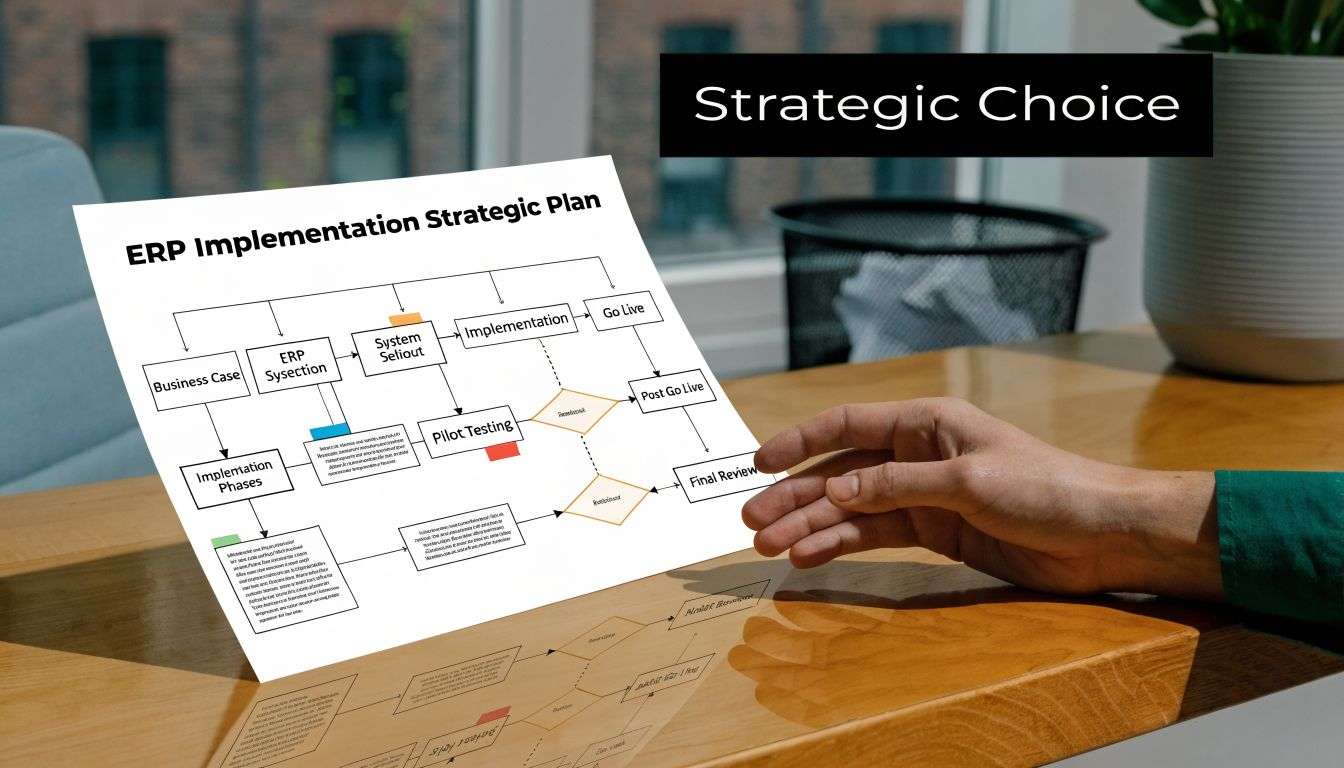
I see the same pattern across Sydney and Adelaide projects. Businesses rarely fail because Odoo lacked a module. They struggle because phase one tried to solve every edge case at once, or because the project copied old workarounds into a new system.
Start with the cost of friction
A practical ERP project starts with a short list of expensive problems. For an Australian retailer, that may be overselling across Shopify, a store, and wholesale. For a distributor, it may be poor visibility of landed cost and slow purchasing approvals. For a services business using skilled migrants, it may be scattered employee records, expiring visa checks, and inconsistent timesheet approvals.
The better question is not "Which modules do we want?" It is "Which failures are costing us money each week?"
Use that lens to assess priorities:
- Rekeying that creates delays: sales orders, supplier bills, stock receipts, payroll inputs, or job data
- Control gaps that create risk: discount approvals, purchasing limits, visa or licence expiry tracking, or credit holds
- Blind spots in reporting: margin by channel, stock by warehouse, WIP, cash flow, or overdue debtors
- Connections that must work from day one: Shopify, WooCommerce, POS, courier platforms, payroll, or field service tools
Once those points are clear, module selection becomes simpler. Odoo Sales, Inventory, Purchase, and Accounting often form the first operational backbone. After that, CRM, manufacturing, field service, subscriptions, helpdesk, or HR can be added in the order the business can absorb.
Phase the rollout to protect cash flow and adoption
Big-bang ERP launches look efficient on a project plan. In practice, they push too much change into one date. Training suffers, data issues hide until go-live, and every department blames the system when old exceptions were never defined properly.
A phased Odoo rollout is usually the safer commercial decision. In many mid-sized Australian businesses, I recommend getting three things stable first. Transaction accuracy, stock integrity, and finance control. When those are working, the rest of the platform has a clean base to build on.
For example, a multi-channel retailer might start with:
- Sales, Inventory, Purchase, and Accounting
- Shopify or WooCommerce integration
- POS, loyalty, or advanced warehouse workflows
- Marketing automation, helpdesk, or subscription billing
A labour-hire or training business may choose a different sequence:
- CRM, Sales, invoicing, and accounting
- Employee records, onboarding documents, and approval workflows
- Scheduling, timesheets, payroll handoff, and compliance alerts
- Management dashboards and customer portal features
The trade-off is straightforward. A phased rollout takes longer on the calendar, but it usually reduces rework, protects operations, and gives staff a real chance to adopt the system properly.
Choose a partner who can challenge bad scope
Software knowledge on its own is not enough. The partner also needs to map processes, clean data, define integrations, train users by role, and say no when a custom request will create future maintenance pain.
That matters even more if your Odoo project includes online store integration, warehouse process redesign, local reporting requirements, or custom workflows for approvals and compliance. Australian businesses often need local judgement here. GST, multi-entity structures, fulfilment rules, and document controls all affect how the system should be configured.
For businesses reviewing ERP system implementation support, the useful test is simple. Ask how the partner decides what belongs in standard Odoo, what needs configuration, and what requires custom development. A good answer will include trade-offs, not just promises.
What a solid implementation plan includes
A good plan is usually less glamorous than the demo. It is also what protects ROI.
Process mapping before configuration
Confirm how quoting, ordering, purchasing, receiving, invoicing, and approvals should work in the new system.Data cleanup before migration
Archive duplicate contacts, old products, inactive suppliers, and broken price lists before they contaminate the new database.Tight integration scope
Connect the systems your team uses every day. Leave edge cases and nice-to-have automations for later releases.Role-based training
Warehouse staff need different training from finance, sales, managers, and field teams.Clear ownership after go-live
Decide who handles user questions, minor fixes, reporting changes, and release priorities in the first 60 to 90 days.A short improvement backlog
Capture enhancement requests, but do not let them delay the first stable release.
The right implementation gives you a system people trust. Orders flow cleanly, numbers reconcile, and managers can make decisions without stitching reports together in spreadsheets. That is what makes the modules of erp worth the investment.
Build Your Future Proof Business with Wistec
The modules of erp aren’t just software components. They’re the moving parts of a business that wants to operate with fewer handoffs, cleaner data, and stronger control.
When the right modules are connected properly, the effect is practical. Sales knows what can be delivered. Finance trusts the numbers. Operations stops chasing updates across multiple tools. Managers spend less time reconciling reports and more time making decisions.
That matters whether you run a retail brand, a manufacturer, a logistics operation, a clinic, or a professional services firm. The system has to reflect how your business works. It also has to stay simple enough that your team will use it consistently.
Good ERP design doesn’t try to automate everything at once. It fixes the most expensive friction first, then expands in a controlled way. That’s usually how businesses move from reactive administration to a more resilient operating model.
If your team is still working around disconnected systems, now’s the right time to map what those workarounds are costing you. Talk with an experienced ODOO partner Sydney Adelaide team that understands Odoo implementation, software development Sydney Adelaide requirements, and the practicalities of Shopify implementation and WooCommerce integration. A clear roadmap will show you which modules to start with, which workflows to simplify, and where customisation will help rather than hurt.
Frequently Asked Questions About ERP Modules
Can I start with just one ERP module and add more later
Yes. In most cases, that’s the smarter approach.
Many businesses begin with finance, sales, purchasing, or inventory because those modules create the transaction backbone for the rest of the system. Once those workflows are stable, additional modules such as manufacturing, HR, projects, or advanced warehouse features can be added with less disruption.
The main caution is planning ahead. Even if you launch in phases, your data structure should be designed for future expansion so you don’t have to rebuild core records later.
What is the difference between Odoo Community and Odoo Enterprise
The practical difference comes down to feature depth, support model, and how much native functionality you need.
Odoo Community can suit businesses with simpler needs or strong in-house technical capability. Odoo Enterprise is often the better fit when you want broader built-in functionality, vendor-backed updates, and a smoother path for business-critical workflows. The right choice depends on your process complexity, reporting needs, and how much custom development you’re prepared to manage.
A proper selection process should compare total operating fit, not just licence cost.
How long does a typical Odoo implementation take
It depends on scope, data quality, integration requirements, and how many modules are in phase one.
A straightforward implementation with core modules and limited customisation can move much faster than a multi-entity rollout with manufacturing, eCommerce integration, and custom approvals. The bigger variable is usually business readiness. If your data is messy and your process owners aren’t aligned, the project slows down regardless of the software.
A realistic timeline should be based on workshops, migration effort, testing depth, and training needs.
Which ERP modules usually deliver value first
That depends on where your biggest operational bottleneck sits.
For retailers, inventory and order flow often deliver early gains. For service businesses, CRM, project tracking, and invoicing are common starting points. For manufacturers, purchasing, stock control, and production planning usually matter first. Finance is often included early because it provides control and exposes data issues quickly.
Do I need custom development for Shopify or WooCommerce integration
Not always.
Some integrations can be handled with standard connectors or light configuration. Others need custom development because of pricing logic, bundled products, GST treatment, warehouse rules, or fulfilment workflows. The key is not to assume every integration should be custom. Start with the simplest architecture that supports the business properly.
How do I know if I’m choosing too many modules
A simple test helps. If a module won’t remove a real manual process, improve control, or support a defined stage of growth, it probably doesn’t belong in phase one.
Businesses get into trouble when they treat ERP selection like buying every feature they might someday need. A tighter first rollout usually creates better user adoption and cleaner long-term expansion.
If your systems are fragmented and your team is spending too much time on manual workarounds, talk to Wistec. We can help you map the right modules of erp for your business, plan a phased Odoo implementation, and align integrations such as Shopify implementation or WooCommerce with the way your operations run.