

You’re usually not thinking about privacy law when the request lands. You’re looking at a Shopify order export, a WooCommerce support ticket, or an Odoo CRM record, and someone wants access to their data, a supplier has sent a phishing-looking invoice, or a manager asks whether last year’s customer file can be archived safely. That’s how data privacy compliance appears in Australian businesses; it shows up inside systems, not just in policy documents.
For retailers, clinics, logistics operators, and service firms, the work is operational. The questions are blunt: where is the personal information, who can see it, how long is it kept, and what happens if something goes wrong? The Notifiable Data Breaches (NDB) scheme made that question set unavoidable in February 2018, and the OAIC’s January to June 2025 reporting period recorded 527 data breach notifications, with 78% linked to malicious or criminal attack, 41% to human error, and 1% to system fault, which is a clear signal that privacy controls need to work across technology, process, and people, not just on paper (OAIC reporting summary via Take Back Your Data).
Why Data Privacy Compliance Matters to Your Business
A customer emails your team asking for access to their records. At the same time, your finance manager flags a suspicious login, and your support inbox is full of password reset messages no one asked for. In that moment, privacy compliance stops being a legal topic and becomes an operational one, because your team has to find records, prove what happened, and respond without making the mess worse.
That’s why the strongest programs aren’t built around a policy PDF. They’re built around breach detection, triage, logging, access control, and notification workflows. Under the NDB scheme, once an organisation has reasonable grounds to believe an eligible breach has occurred, it has to assess the incident promptly and notify the OAIC and affected individuals as soon as practicable, so the practical challenge is to know whether data was accessed, exfiltrated, or made unavailable before the clock runs out.
Practical rule: if your team can’t trace a customer record from checkout to CRM to support desk, you can’t defend your privacy posture when a breach or access request lands.
The compliance gap usually shows up where systems connect. A Shopify store collects customer data, Odoo stores order and account details, WooCommerce adds a separate sales trail, and a mobile app or third-party booking tool pulls the same identity data into another workflow. That’s why privacy work needs to sit beside implementation work, not outside it. If you’re drafting documentation, the internal control set in compliance documentation guidance is only useful when it matches how your stack moves data.
For smaller businesses trying to get started, even external legal guidance can help frame the basics of a website policy and the minimum expectations around collection and disclosure, including this practical resource on small business privacy policy help. The point isn’t to copy a template. It’s to make sure the policy you publish reflects the systems you run.
What Data Privacy Compliance Actually Means
Think of privacy compliance as the road rules for customer data. You can drive without understanding every clause, but if you ignore the lanes, signals, and right of way, someone gets hurt. In practical terms, compliance means collecting data for a clear purpose, using it only for that purpose, protecting it properly, and deleting or de-identifying it when you no longer need it unless retention is legally required.
In Australia, the core framework comes from the Privacy Act 1988, which applies to organisations that meet the AUD 3 million annual turnover threshold and to some smaller entities such as private-sector health service providers and businesses that trade in personal information, and it contains the 13 Australian Privacy Principles (APPs) that govern collection, use, disclosure, security, access, and correction (KPMG summary). The NDB scheme sits on top of that and makes breach response a live obligation, not a theoretical one.
The tricky part is overlap. If you handle EU customer data, GDPR obligations can apply. If you store health information, sector-specific rules matter too. If you process card payments, PCI DSS affects how you design and segment payment flows. A single Shopify or WooCommerce store can bring all of those concerns together if it supports multiple markets or integrates with third-party apps, payment gateways, and fulfilment tools.
For implementation planning, a useful public reference is the internal checklist at the website compliance checklist, because website controls often leak into privacy controls faster than teams expect. The site form, checkout, account area, and support workflow are usually where consent, notice, and access issues appear first.
Operational view: privacy compliance is really evidence management. If you can show what data you hold, why you hold it, who can access it, and how you respond to incidents, you’re in a far stronger position than a business that only has a polished policy page.
The Four Principles That Drive Every Control
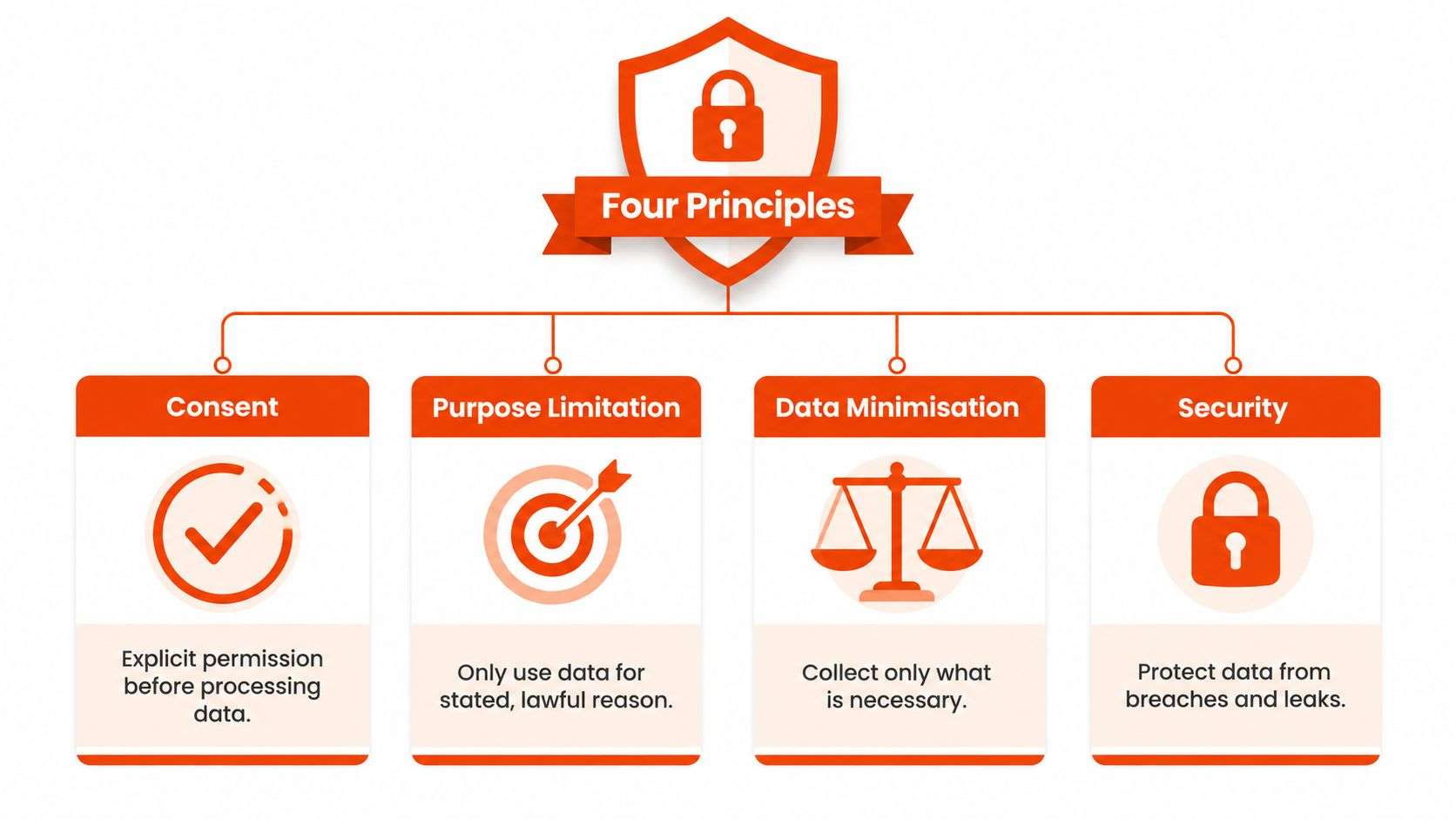
The four ideas that keep reappearing across privacy laws are consent, purpose limitation, data minimisation, and security. They sound abstract, but they map directly to system design choices that developers, operations leads, and platform admins make every week.
Consent and purpose limitation
Consent is the part users notice, but purpose limitation is the part teams often miss. A checkout tick box on Shopify is only useful if the business can prove what it asked for and what it did with the data afterwards. In Odoo, that means tagging CRM fields and workflows so marketing, fulfilment, and support don’t all reuse the same customer record for unrelated purposes.
A common failure is collecting more than the team can justify, then reusing it across departments because it’s already in the system. The better control is to make purpose part of the data model, not just the policy. In WooCommerce, that can mean limiting form fields, separating account creation from newsletter consent, and keeping promotional consent distinct from order fulfilment.
Data minimisation and security
Data minimisation means collecting only what you need. If a clinic, retailer, or logistics operator keeps old customer details forever because nobody built a retention rule, the business turns every breach into a bigger problem than it needs to be. In practice, that means scheduled deletion jobs, retention rules tied to business purpose, and clean field design in Odoo ERP so teams aren’t storing free-text notes when a structured field would do.
Security is the control that makes the rest believable. Encryption at rest and in transit, role-based access, and audit logs matter because they create evidence, not just reassurance. For mobile app backends, that usually means hardening storage, restricting API access, and making sure logs show who accessed what and when.
A useful way to think about the design trade-off is this. Every extra field, connector, and admin role increases operational convenience, but it also increases your privacy surface area. If you’re running a mixed stack with Odoo implementation work, Shopify implementation work, and WooCommerce integrations, the safest path is to remove unnecessary data paths before you spend time decorating them with policy language.
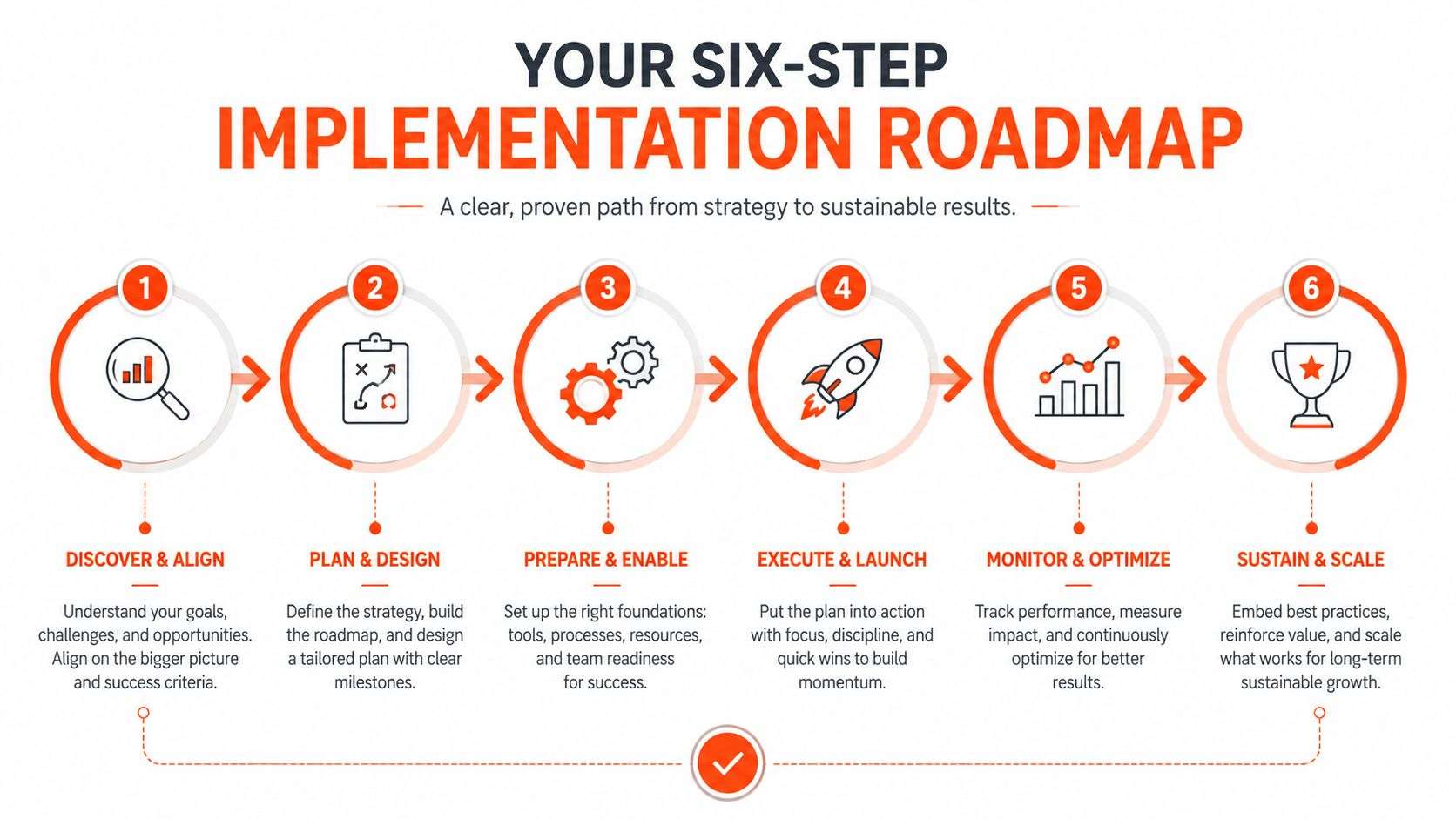
Your Six-Step Implementation Roadmap
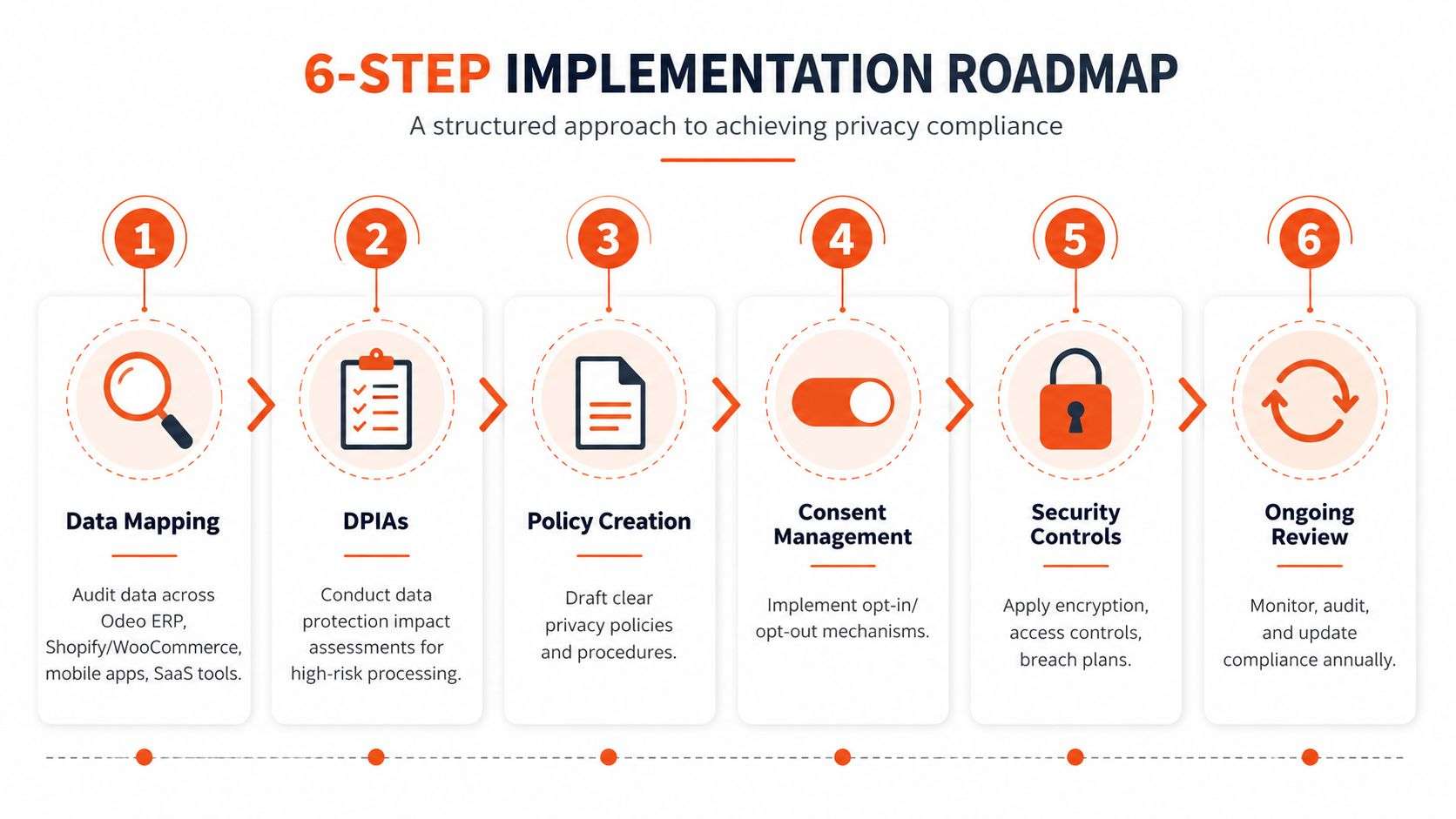
A workable privacy program doesn’t start with policy drafting. It starts with mapping where data lives, who touches it, and which systems move it around. In an Australian SMB, that often means tracing customer, employee, supplier, and patient records across Odoo ERP, Shopify, WooCommerce, mobile apps, email platforms, and cloud tools.
1. Data mapping
Start with a data inventory. List the systems, data types, user roles, retention periods, and sharing points. For a retail business, that means checkout, fulfilment, support, accounting, and marketing. For a clinic, it means appointment booking, health record access, consent capture, and referral workflows.
2. DPIAs for higher-risk processing
If a process creates extra exposure, write it down. A data protection impact assessment helps you spot where a workflow is risky before it goes live, especially when a mobile app or third-party vendor pulls personal information into a new environment.
3. Policies that match reality
Policies should describe what the systems do. If Shopify sends data to an email tool, and Odoo stores a different slice of the same customer profile, the privacy policy has to reflect that flow. If it doesn’t, you’ve just created a document that fails the first audit question.
4. Technical controls
The work gets real. Use role-based access, logging, field-level restrictions where needed, encryption, and retention jobs. In software development Sydney Adelaide engagements, I’ve seen this stage uncover the biggest gap between what leadership thinks exists and what the stack enforces.
5. Vendor management
Your privacy posture is only as strong as the weakest connected tool. Contracts need privacy clauses, incident notification expectations, and clear processing instructions. That matters for CRM add-ons, payment providers, hosting, support desks, and shipping platforms.
6. Breach response
Build a tested playbook for triage, scoping, evidence preservation, and notification. The NDB scheme means the team can’t improvise after the fact. They need a repeatable decision path that tells them when to notify, what to preserve, and who signs off.
If you want a practical systems lens on the infrastructure around this work, the service stack at email and cloud services is a good reminder that breach readiness often depends on boring things done well, like access control and log visibility.
What works: one owner per step, one artefact per deliverable, and one review date.
What doesn’t: a privacy policy rewrite with no data map, no access review, and no tested incident workflow.
Sector-Specific Priorities Across Six Industries
Different industries fail in different places, but the pattern is consistent: the highest risk is usually the system that handles data fastest and most broadly. That’s why a retail operator, a healthcare clinic, and a professional services firm shouldn’t copy the same control plan and call it done.
| Sector | Top Privacy Risk | Primary Control to Implement |
|---|---|---|
| Retail and eCommerce | Over-collection at checkout and weak consent handling across Shopify or WooCommerce flows | Separate consent capture from order processing, then restrict downstream reuse |
| Healthcare | Over-broad access to health information in clinic systems and connected apps | Tight role-based access plus detailed access logs |
| Logistics and supply chain | Driver, consignee, and delivery data spread across too many systems and vendors | Centralised data inventory with vendor access limits |
| Manufacturing | Employee and supplier data mixed with operational telemetry | Segmented access and retention rules tied to business purpose |
| Education | Parent, student, and alumni records reused beyond the original collection purpose | Purpose-limited fields and consent-aware communications |
| Professional services | Highly sensitive client records visible to too many staff | Matter-based access controls and audit logging |
Retailers usually run into trouble at the point of collection. If Shopify forms, discount tools, and marketing apps all pull from the same checkout flow, consent gets blurred fast. Healthcare providers face a different issue, because access control matters more than collection volume, and even a simple clinic workflow can expose too much if permissions aren’t locked down.
Logistics operators need discipline around distribution. Delivery updates, proof-of-delivery attachments, and consignee details often pass through multiple vendors, so the control is less about one system and more about the entire path. Manufacturers need to separate operational data from staff records, while education providers have to be especially careful about reuse across enrolment, support, alumni, and fundraising workflows.
Professional services firms tend to underestimate internal access risk. Accountants and lawyers already know the information is sensitive, but broad mailbox access and loose shared folders can defeat that instinct. The fix is segmentation, not just training.
A practical implementation choice sits alongside platform work. A carefully scoped Odoo implementation, a Shopify implementation, or a well-designed WooCommerce build can either reduce risk or spread it, depending on how roles, fields, and integrations are configured. That’s where ODOO partner Sydney Adelaide support and software development Sydney Adelaide delivery matter, because the privacy issue is usually inside the workflow, not on the surface.
A Real Compliance Story From an Australian Mid-Sized Business
A 40-person Adelaide retailer came in with a familiar problem. They were running Odoo ERP behind a Shopify storefront, plus a WooCommerce marketplace presence, and their team could handle sales and fulfilment, but not privacy requests cleanly. A customer access request arrived first, then a phishing incident exposed how little visibility they had into who could reach customer records.
Wistec started with data mapping across the store, ERP, support mailbox, and marketplace tools. The team then rewrote the policy set so it matched what the systems did, hardened Shopify consent handling, tightened Odoo role-based access, and created a breach runbook the operations lead could use.
The result wasn’t a glossy compliance transformation. It was a working system. Staff stopped guessing which records lived where, customer requests were easier to trace, and the business had a practical incident path instead of a folder of outdated notes. That’s the difference between a privacy program that exists on paper and one that survives a real customer query or incident.
The strongest lesson from that project was simple. When privacy controls sit inside the stack, the business can prove what happened. When they sit only in a policy, the team just hopes the answer is in someone’s inbox.
Your Compliance Checklist and Template Bundle
A useful privacy checklist needs to work as both a compliance guide and a scoping document for the next implementation sprint. If it can’t help an owner, ops lead, or developer, it’s too abstract to use.
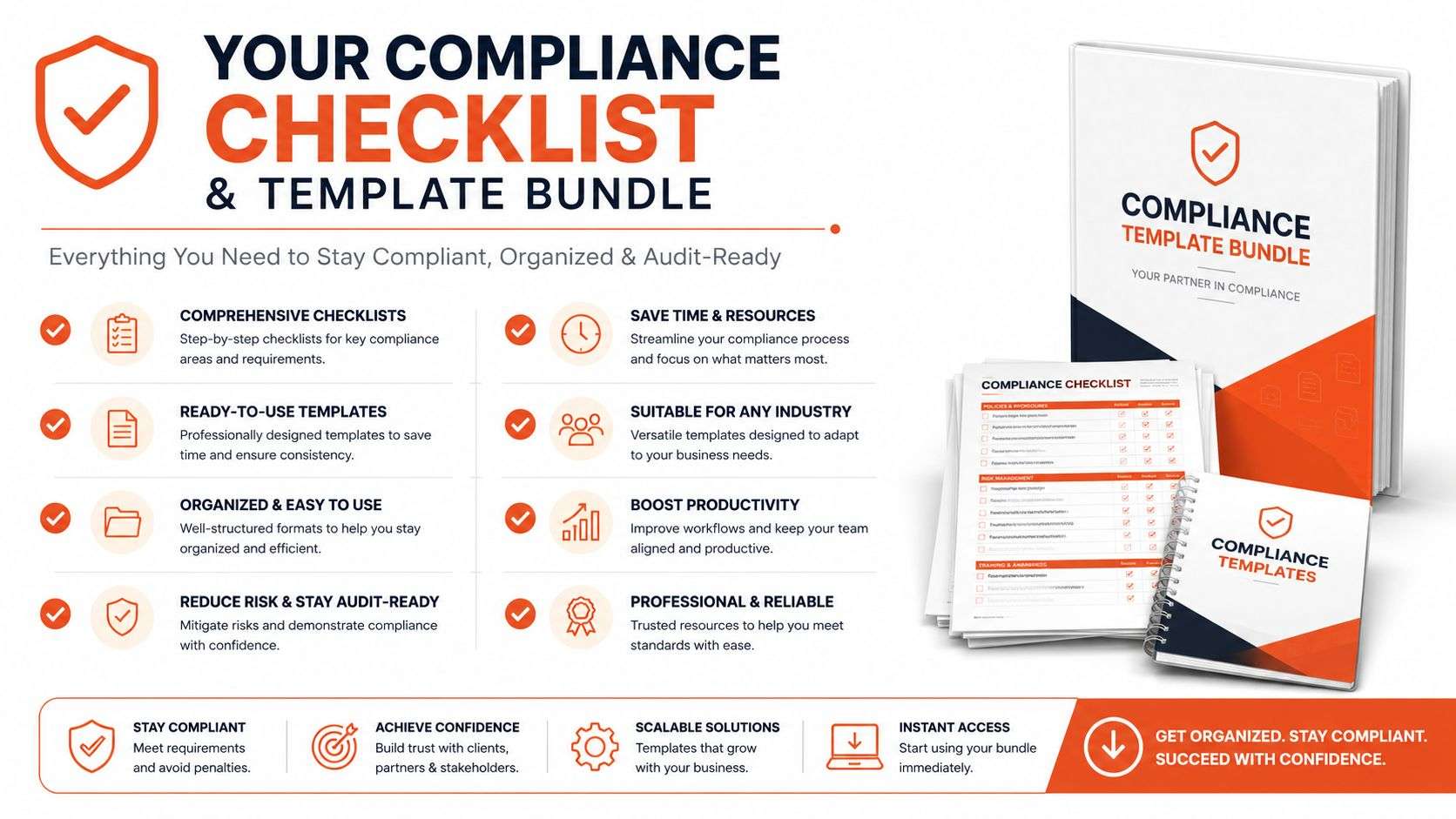
Start with the four principal checks. Confirm that consent is recorded where needed, purpose is defined for each dataset, minimisation is applied to forms and records, and security is enforced through access and logging. Then move to the six roadmap deliverables: data map, DPIA, policy set, technical controls, vendor clauses, and breach response, and assign each one to a named owner.
For the templates, keep them short enough to use:
- Data inventory prompt: list system, data type, owner, retention, and vendor access.
- DPIA one-pager: record the process, the risk, the control, and the reviewer.
- Vendor privacy clause: state processing purpose, incident notice expectations, and deletion obligations.
- 72-hour breach script: define triage, evidence preservation, notification decision, and customer communication.
If your stack includes Odoo ERP, Shopify, WooCommerce, or a mobile app, add a system column to each template so you can see where the control lives. That way the checklist becomes an implementation brief, not just an audit artefact.
For a practical point of reference when you’re building the broader control set, the e-waste checklist for SMBs is a useful example of how a structured checklist can keep teams organised without drowning them in jargon. The same logic applies here, because a privacy checklist has to be short enough to use and specific enough to enforce.
Frequently Asked Questions and Next Steps
How much does a privacy compliance program cost for a small business?
There isn’t a single number that fits every business. Cost depends on whether you need a policy refresh, a data map, technical controls, or a full rebuild across Odoo, Shopify, or WooCommerce.
How long does it take to reach a defensible posture?
A lean team can build something credible in weeks if it focuses on the highest-risk workflows first, especially access control, logging, and breach response. The point is to prove control in the systems you use every day.
Are Odoo or Shopify enough on their own?
No. They’re useful platforms, but privacy compliance depends on configuration, integrations, roles, retention, and incident workflows. A well-run platform is part of the answer, not the whole answer.
What should I do first after reading this?
Start with a data map, then review your consent, access, and retention settings, and test your breach response path. If you need help with Odoo implementation in Sydney or Adelaide, Shopify or WooCommerce development, or broader software development, the next step is to get the stack reviewed by people who work on the controls, not just the documents.
Wistec helps Australian businesses turn privacy obligations into working controls across Odoo, Shopify, WooCommerce, mobile apps, and custom integrations. If your team needs a practical review of data flows, access settings, retention, and breach readiness, visit Wistec and book a privacy readiness session.