

Your online store might still be bringing in orders, but the warning signs usually show up before revenue drops. Staff are fixing stock mistakes by hand. Marketing sends paid traffic to pages that don’t convert cleanly on mobile. Customer service answers the same delivery and availability questions every day because the site and the back office aren’t talking to each other.
That’s the point where most Australian businesses realise they don’t need a prettier website. They need ecommerce website design services that connect front-end buying journeys to real operational workflows.
For retail, manufacturing and logistics teams in Sydney and Adelaide, that distinction matters. A store that looks polished but can’t sync products, stock, freight rules, tax settings or finance data becomes expensive quickly. A well-designed ecommerce site does the opposite. It reduces friction for customers and removes manual work for your team.
Is Your Online Store Ready for the 2026 Boom
A lot of businesses hit the same wall. Sales are growing, product lines are expanding, and the website that once felt “good enough” now slows down every part of the business. Product updates take too long. Promotions break layouts. Mobile checkout feels awkward. Internal teams start building workarounds in spreadsheets because the site can’t keep up.
That’s a design problem, but it’s also a commercial one.
In Australia, online retail sales reached $68.23 billion in FY2024, and 88% of AU online consumers avoid returning after bad experiences, according to these Australian web design statistics. If your store feels clunky, slow or inconsistent, the cost isn’t abstract. It shows up in abandoned sessions, repeat purchase loss and heavier support load.
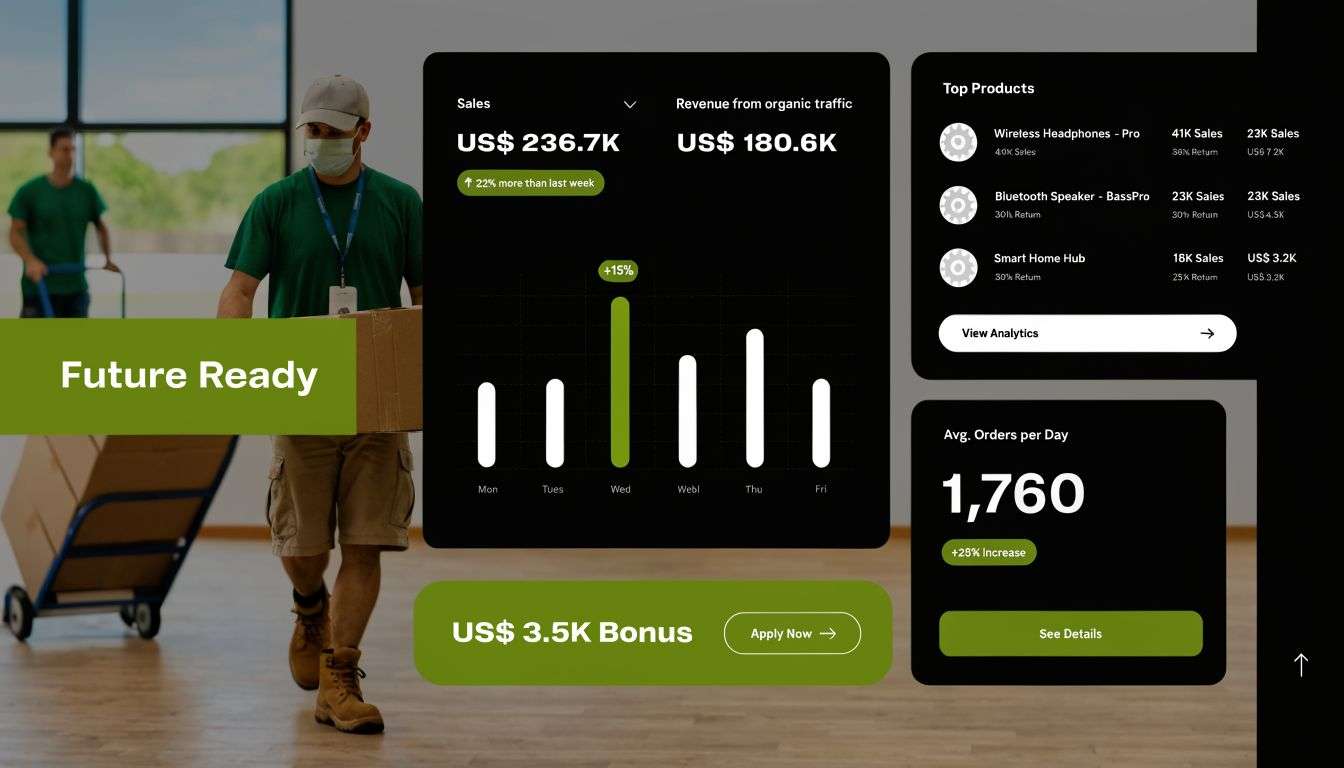
What growth pressure looks like in practice
The pressure usually lands in a few places at once:
- Product management gets messy: Teams struggle to keep pricing, images, variants and stock status current across the catalogue.
- Marketing loses efficiency: Campaign traffic lands on pages that were built for desktop assumptions, not actual buying behaviour.
- Operations carry the burden: Orders come in, but staff still re-enter data into ERP, freight, invoicing or warehouse systems.
- Leadership loses visibility: Reports don’t line up because the storefront and the back office each tell a different story.
Businesses researching how to scale an ecommerce business usually focus on ads, product range and fulfilment. Those matter, but website architecture often becomes the hidden constraint. If the site can’t support clean merchandising, reliable checkout and accurate operational data, scaling just multiplies inefficiency.
Practical rule: If your team needs a manual workaround every day to keep the store operating, the website is no longer a marketing asset. It’s an operational bottleneck.
Why design deserves board-level attention
Good ecommerce design isn’t decoration. It’s structure. It defines how customers browse, how quickly pages respond, how trust is built, and how cleanly the business processes orders after payment.
That’s why serious ecommerce website design services start with business model questions, not colour palettes. A Sydney wholesaler selling account-based pricing needs a different build from an Adelaide retailer running direct-to-consumer promotions. A manufacturer with complex stock logic needs different integrations from a brand shipping simple consumer products.
The 2026 opportunity won’t be captured by the businesses with the flashiest home page. It will go to the businesses whose online store is fast, clear and tightly connected to how the company runs.
Deconstructing Ecommerce Design What Services Actually Include
Most business owners hear “website design” and think mock-ups, branding and maybe a new theme. Real ecommerce website design services are broader than that. The easiest way to understand them is to treat the project like building a physical store.
You need a plan, a structure, systems behind the counter, signage outside, and a way for staff to keep the place running after opening day.
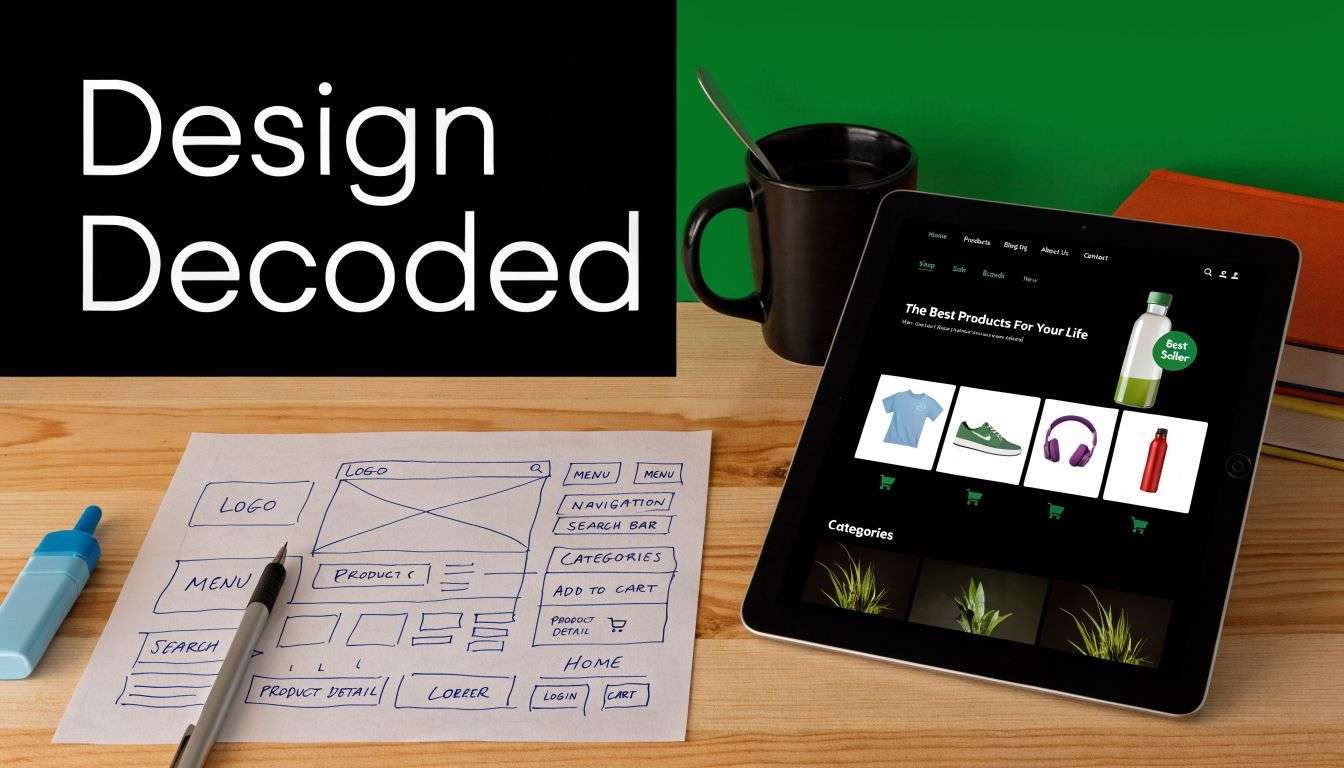
The blueprint, the build and the systems
Start with UX and information architecture. This is the floor plan. It decides how customers move from home page to category, from category to product, and from product to checkout. If the structure is wrong, no visual polish will fix it. We’ve seen stores with excellent branding but poor category logic, and customers couldn’t find what they wanted fast enough.
Then comes UI design. Through it, branding, hierarchy, spacing, buttons, forms and product presentation get shaped into something customers trust. On a strong build, design choices support action. They don’t compete with it.
After that, front-end and back-end development turn static screens into a working store. This includes theme engineering, custom components, checkout flow, product logic, customer account features, payment setup, shipping rules and admin workflows. For some businesses, that also means custom quoting, trade login areas or account-based pricing.
Mobile-first isn’t optional
In Australia, 62% of online retail transactions were completed via mobile devices in 2024, and expert responsive design and fast loading speeds can increase conversion rates by 28%, according to the Australian Bureau of Statistics.
That single fact changes how competent teams approach a build.
A mobile-first site isn’t a desktop site squeezed onto a smaller screen. It means designing product cards, filters, navigation, forms and checkout for thumb use first. It means reducing friction in search, keeping page weight under control, and making key actions obvious without asking users to zoom, rotate or hunt.
Most mobile ecommerce failures aren’t dramatic. They’re small frictions stacked together. A filter panel that’s awkward. A sticky button that hides content. A checkout field that’s harder than it needs to be.
What sits inside a proper service scope
When clients commission a serious ecommerce build, the scope usually includes these workstreams:
- Discovery and requirements mapping: business goals, catalogue shape, customer types, fulfilment model, internal systems, edge cases.
- Wireframes and UX flows: page hierarchy, collection logic, product page decisions, cart and checkout pathways.
- Visual design: branding application, reusable components, typography, accessibility-aware layouts.
- Development: Shopify implementation, WooCommerce configuration, custom modules, app integrations, API work.
- Content and catalogue setup: product data import, redirects, metadata, policy pages, imagery handling.
- Quality assurance: device testing, browser testing, user flow testing, checkout validation.
- Launch planning: cutover, redirects, analytics, payment validation, post-launch monitoring.
The pieces many firms forget
Two areas get under-scoped all the time.
First is technical SEO. That includes crawlable architecture, sensible URLs, metadata control, structured internal linking and migration planning if you’re replacing an old site. If SEO is treated as an afterthought, rankings often suffer during launch.
Second is integration design. This matters most for teams running inventory, warehousing, accounting or manufacturing workflows outside the storefront. If those systems aren’t considered early, the project team ends up duct-taping apps together late in the build.
A good ecommerce website doesn’t just help customers buy. It gives your team a cleaner operating model. That’s the difference between a web project and a digital commerce system.
Choosing Your Engine Shopify vs WooCommerce vs Custom
Platform choice affects everything after launch. It influences speed to market, admin workload, flexibility, support model, integration approach and long-term cost. There isn’t a universally right answer. There’s a right answer for your catalogue, your team, and the way your business operates.
Some companies need quick deployment and easy administration. Others need tighter control over content, integrations or custom business rules. That’s where platform selection has to be grounded in operations, not trends.
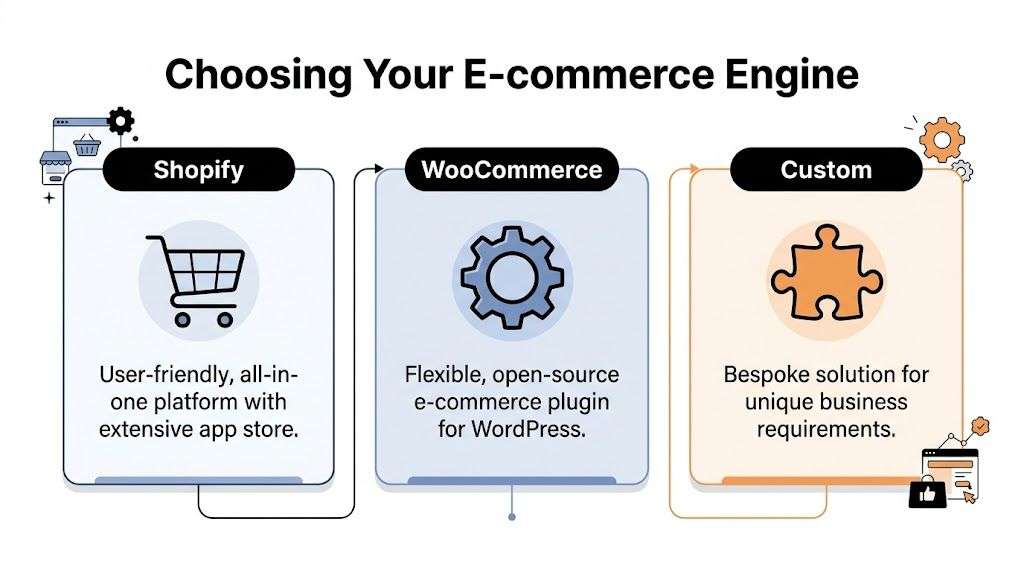
eCommerce Platform Comparison Shopify vs. WooCommerce vs. Custom
| Criteria | Shopify | WooCommerce | Custom Build |
|---|---|---|---|
| Speed to market | Usually faster for standard retail builds | Fast if scope is controlled and WordPress is already in use | Slowest because everything is specified and built deliberately |
| Ease of administration | Strong for non-technical teams | Familiar for content-heavy businesses already using WordPress | Depends entirely on how the admin is designed |
| Flexibility | Good, within platform and app constraints | High flexibility, especially for content and bespoke logic | Highest flexibility |
| Hosting and maintenance | Simpler managed model | More moving parts to manage | Fully owned responsibility |
| Extension approach | App ecosystem | Plugins and custom development | Bespoke integrations and modules |
| Best fit | Retail brands that want clean operations and lower admin friction | Businesses wanting content control and tailored ecommerce logic | Companies with unique workflows or specialised requirements |
For a more focused side-by-side view, this Shopify vs WooCommerce comparison is useful when you’re narrowing down the short list.
When Shopify is the right call
Shopify implementation suits businesses that want predictable administration and faster rollout. It’s a strong fit for direct-to-consumer brands, growing retailers and operators who don’t want to manage deep hosting or server complexity.
It works best when the business wants to move quickly, keep the admin clean, and use established apps for payments, promotions, reviews, subscriptions or shipping. The trade-off is that once requirements become highly specialised, app overlap and platform constraints need careful management.
A common Sydney scenario is a retailer with strong branding, active campaigns and a lean internal team. Shopify often fits because merchandising and campaign execution stay manageable without technical overhead swallowing the team’s time.
When WooCommerce earns its place
WooCommerce is often the better fit when content and commerce need to work tightly together, or when the business wants more control over custom behaviour. It can suit Adelaide wholesalers, specialist retailers or service-led businesses that already rely on WordPress for content, SEO and landing page operations.
Its strength is flexibility. You can shape product structures, customer journeys and content architecture in a very customized way. The trade-off is governance. Plugin quality, update discipline and hosting choices matter far more here than they do in simpler SaaS setups.
Choose WooCommerce when flexibility creates business value, not because “open source” sounds appealing. Freedom without technical discipline becomes maintenance debt.
When custom is worth the investment
A custom build makes sense when the storefront has to reflect unusual business logic. Examples include complex quoting, highly specific account hierarchies, unusual product configuration, or deep operational workflows that don’t map neatly to standard platform behaviour.
This path is usually right for businesses where the ecommerce engine is part of a broader software ecosystem. That’s common in manufacturing, logistics and B2B operations, where the store isn’t just selling products. It’s enforcing commercial rules, exposing stock states, generating internal tasks, or syncing with ERP and dispatch systems.
The trade-off is straightforward. You get precision, but you take on more design, development and support responsibility.
A practical way to decide
Ask these questions before selecting a platform:
- How unusual is your selling model: Standard retail, trade portal, account pricing, quote-driven sales, or a mix?
- Who will manage the store daily: Marketing team, operations staff, product managers, or internal IT?
- How important are integrations: If ERP, warehouse, finance or shipping systems are critical, platform fit changes quickly.
- How much governance can you handle: Some teams want flexibility. Others want guardrails.
- What has to be easy six months after launch: Promotions, SEO landing pages, catalogue updates, or workflow automation?
The best platform is the one your team can operate confidently while still supporting the next stage of growth. A platform that looks cheap at kickoff can become expensive if every change needs technical intervention. The reverse is also true. A more structured platform can save money when it reduces operational noise.
The Project Roadmap From Kickoff to Launch and Beyond
Most ecommerce projects go wrong before development starts. Not because the code is poor, but because nobody aligned on business rules, content ownership, integration requirements or launch responsibilities. A disciplined roadmap fixes that.
Clients usually feel more comfortable once the work is broken into clear phases with specific decisions attached to each one.
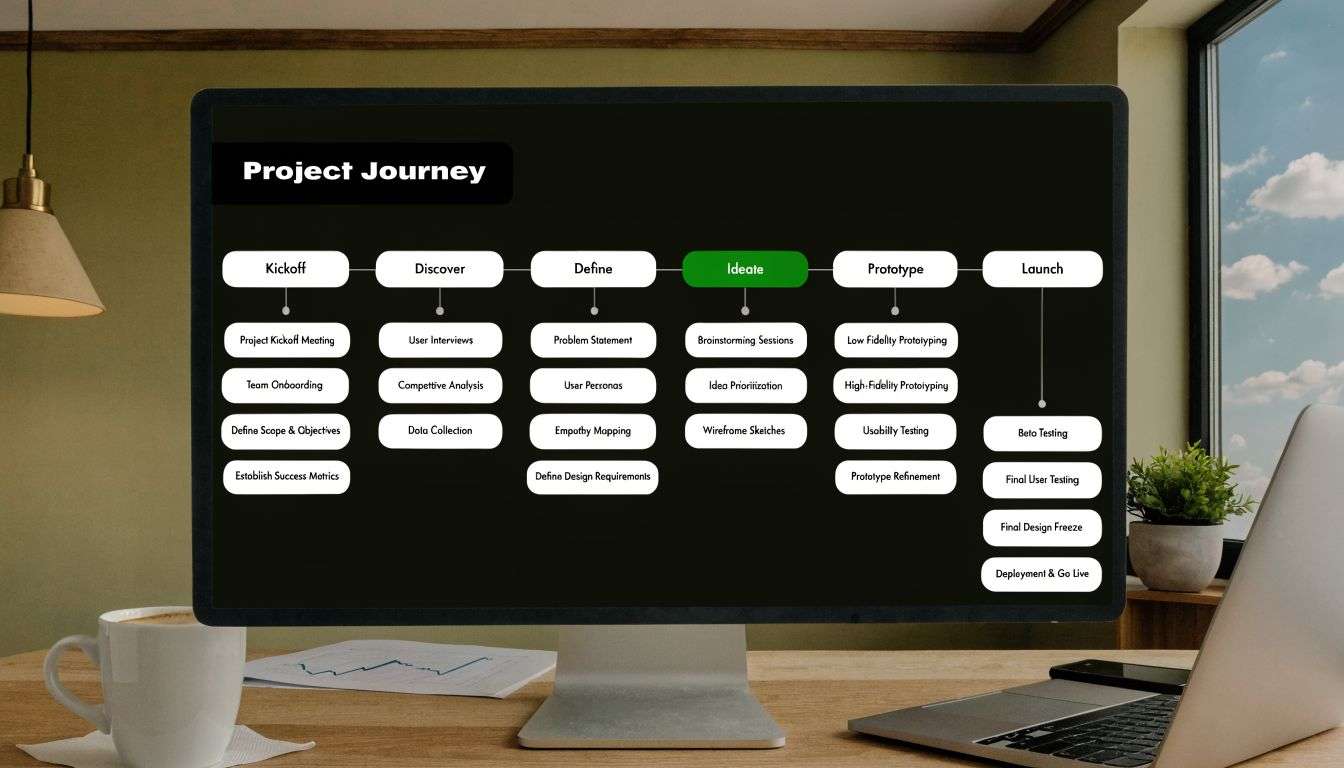
Discovery decides the quality of everything after it
The first phase is discovery. During this phase, the project team maps product structure, customer types, fulfilment rules, business constraints, integrations and success criteria. If a business sells retail and wholesale through the same store, this needs to be settled here. If freight logic varies by region or product class, it needs to be documented here too.
This is also where technology choices get pressure-tested. Plenty of projects look simple until someone mentions trade pricing, partial shipments, ERP sync, multi-location stock, or account approval flows.
A useful discovery output usually includes:
- Business requirements: what the store must support operationally
- Customer journeys: how key user types browse and buy
- Content model: what pages, products and data structures are needed
- Integration map: what must sync with ERP, accounting, shipping or CRM
- Risk register: what could delay launch if ignored now
Design and build work best when decisions are staged
After discovery, the project moves into UX, wireframes and interface design. During this phase, teams should validate layout, navigation, filters, product page hierarchy and checkout flow before development begins. It’s much cheaper to change a wireframe than a built feature.
Development then turns approved designs into templates, components and workflows. Good teams stage this work. Core storefront first. Business logic next. Integrations after that. If everything is built at once, bugs get harder to isolate and priorities become blurred.
Don’t approve designs based only on how the home page looks. Review category depth, product detail layouts, mobile forms, search behaviour and account flows. That’s where ecommerce projects are won or lost.
Launch is a controlled transition, not a magic date
Launch should be treated as a managed cutover. Product data must be checked. Payment methods must be tested end to end. Redirects need to be in place. Analytics and event tracking should be verified. Customer emails need review. Internal teams should know what happens if an order fails, stock displays incorrectly or a shipping rule misfires.
Post-launch matters just as much. Teams usually discover operational improvements only after real users interact with the system. That might mean refining search, simplifying collection logic, improving admin workflows, or reducing dependency on manual tasks.
Pricing models and where each fits
There’s no single pricing model that suits every ecommerce engagement.
A fixed-price project works when the scope is clear, the requirements are stable and the business can make decisions quickly. It gives budget certainty but handles change poorly if assumptions shift.
Time and materials suits complex builds, evolving integrations and businesses that want room to adapt. It requires trust and active project management, but it’s often the most realistic model for custom ecommerce and ERP-connected work.
A retainer makes sense after launch, or when the store is part of an ongoing digital program. It’s useful for iterative improvements, support, SEO implementation, testing and feature enhancements.
The healthiest projects are the ones where everyone knows what is being decided now, what is being deferred, and who owns each dependency.
Beyond the Shopping Cart Integrating Your Site with Odoo ERP
At this juncture, many ecommerce projects either become scalable or remain fragile.
A storefront can look excellent and still create daily problems if orders, stock, fulfilment and finance are managed in separate systems with manual re-entry between them. That’s common in Australian businesses that started with a standalone site, then added apps as complexity grew. Eventually the front end keeps selling, but operations become slower, noisier and more error-prone.
The integration gap often exceeds expectations. In Australia, 78% of retailers cite integration challenges as a top barrier to scaling, and businesses that integrate ecommerce with an ERP like Odoo see up to 30% productivity gains and a 25% reduction in order fulfilment errors, according to this article on underrated ecommerce sales channels.
What Odoo changes in a live ecommerce environment
A proper Odoo implementation turns the website into one part of a connected operating model. Instead of treating the store as a separate sales channel, it becomes linked to inventory, purchasing, warehousing, invoicing, customer records and reporting.
For a retailer, that can mean stock levels stay aligned across channels. For a manufacturer, it can mean the website only sells what the business can fulfil. For a logistics-heavy operation, it can mean dispatch and order status are no longer being tracked through disconnected spreadsheets and inboxes.
Useful integration points often include:
- Inventory sync: stock availability updates between ecommerce and ERP
- Order flow: online orders create downstream records without re-keying
- Customer data: trade accounts, billing details and order history stay consistent
- Finance handoff: invoicing and payment reconciliation become cleaner
- Operational visibility: sales and fulfilment are reviewed in one system, not several
If you’re assessing whether your back office is ready, it also helps to master inventory management principles before the integration layer is designed. The website can only be as accurate as the inventory logic behind it.
A practical case from manufacturing and distribution
A common Adelaide scenario looks like this. A business sells parts or finished goods online, but it also serves trade customers, manages incoming stock, and needs internal teams to see accurate availability before promising dispatch. The website can take orders, but stock is being corrected manually because the ecommerce catalogue and ERP don’t share a reliable source of truth.
In that setup, the first visible problem is usually customer-facing. A product appears available when it isn’t. The deeper problem is internal. Sales, warehouse and finance teams are each working from a slightly different version of the same order.
An experienced ODOO partner Sydney Adelaide will usually tackle this by mapping the data flows before touching connectors. What creates the product record. What controls stock status. When does an order become a picking task. When is an invoice generated. What should happen if an item is backordered. Those aren’t just technical questions. They define how the business runs.
A useful starting point for teams considering this path is this overview of Odoo ERP implementation services.
The best ecommerce integration projects don’t start with APIs. They start with agreement on business rules.
Where firms get this wrong
Three mistakes show up repeatedly.
First, they bolt integration on after the site is already designed. That leads to awkward workflows because the front end promised things the back office can’t support cleanly.
Second, they sync too much too soon. Not every field needs to move in real time. Good integrations prioritise the records that affect selling, fulfilment and reporting.
Third, they ignore exception handling. Orders fail. Addresses get corrected. stock changes. Trade terms vary. A reliable ecommerce system needs defined behaviour when reality isn’t neat.
When Shopify implementation, WooCommerce development and ERP integration are designed together, the website stops being a disconnected sales tool. It becomes the front door to a more organised business.
How to Evaluate and Choose the Right Design Partner
A polished portfolio doesn’t tell you whether a firm can handle your business model. It tells you they can present finished work attractively. That’s not the same thing.
If you’re choosing a partner for ecommerce website design services, the core question is whether they can make sound decisions under operational complexity. That matters far more than whether they can produce a nice-looking home page.
What to look for beyond visual design
Start by asking how they run discovery. If the answer jumps straight to themes, features or visual inspiration, that’s a warning sign. Strong teams ask about catalogue structure, margin pressures, fulfilment workflows, internal approvals, trade rules, and which systems already run the business.
Then look at technical depth. A credible partner should be comfortable discussing Shopify implementation, WooCommerce architecture, content migration, app or plugin risk, analytics setup, search visibility, and post-launch support without speaking in vague agency language.
A practical shortlist should test for these capabilities:
- Business model fit: Have they worked with retail, wholesale, manufacturing or logistics realities similar to yours?
- Platform judgment: Can they explain why one platform suits your workflow better than another?
- Integration maturity: Do they understand ERP, inventory, finance and shipping dependencies?
- Delivery discipline: Can they describe testing, launch control and support in concrete terms?
- Communication quality: Do they answer directly, or bury uncertainty in jargon?
Ask hard questions about SEO and accessibility
Two topics are often under-asked and over-assumed.
The first is technical SEO. If you’re redesigning an existing store, ask how they handle redirects, page structure, metadata control, faceted navigation, indexation and migration risk. A partner doing real work in this space should answer without hesitation.
The second is accessibility compliance. In Australia, ecommerce businesses can’t treat accessibility as a nice extra. Ask how the team approaches keyboard navigation, colour contrast, form labels, focus states, semantic structure and screen reader behaviour. If the answer is “we use a good theme” or “there’s an overlay for that”, keep looking.
A capable partner won’t just say they build accessible sites. They’ll explain how accessibility is tested and who is responsible for fixing issues before launch.
A useful evaluation pattern in Sydney and Adelaide
For businesses comparing agencies with software development Sydney Adelaide capability, one difference stands out quickly. Some firms are excellent at campaign-driven websites. Others can support deeper commerce and operational software problems.
That distinction matters if your store needs more than a catalogue and checkout.
If your shortlist includes teams claiming strategy, design and development capability, ask them to walk through a recent project in plain terms. What was hard. What changed during build. Which assumptions were wrong at kickoff. How did they resolve integration constraints. Good partners answer with specifics and trade-offs. Weak ones default to buzzwords.
A sensible benchmark for the kind of questions worth asking appears in this guide to choosing the best website development company.
The partner you want
You want a team that can say no for good reasons. A team that warns you when a feature will create admin overhead. A team that understands the relationship between customer experience and operational workload. A team that treats launch as the start of improvement, not the end of delivery.
That’s what separates a vendor from a technology partner.
Your Next Step Toward a High-Performing Online Store
A modern ecommerce site has to do more than look credible. It needs to guide customers cleanly, support your team operationally, and fit the way your business makes money.
That’s why the best ecommerce website design services start with structure, not surface. The right platform matters. The project process matters. Integration planning matters even more once you’re managing stock, fulfilment, finance or trade workflows across multiple systems.
For some businesses, an efficient Shopify implementation is the right move. For others, WooCommerce gives the control they need. And for businesses carrying more operational complexity, the key advantage comes from connecting the storefront to ERP and supply chain processes so the website stops creating work behind the scenes.
If you’re based in Sydney or Adelaide and you’re weighing a rebuild, replatform or ERP-connected ecommerce project, don’t start by asking what theme you need. Start by asking what your online store must support for the next phase of growth.
That usually leads to better decisions, fewer expensive reworks, and a store your team can run with confidence.
If you want a practical discussion about Shopify implementation, WooCommerce, Odoo implementation, or a broader software development Sydney Adelaide roadmap, speak with Wistec about your goals and current bottlenecks. A no-obligation strategy session can help clarify the right platform, integration approach and delivery path for your business.