

You're probably dealing with some version of the same problem most growing Australian businesses hit. Sales live in one system. Inventory sits in another. Finance still leans on spreadsheets. Your Shopify implementation or WooCommerce store takes orders, but your team rekeys data into accounting, purchasing, or dispatch. Staff spend time checking which number is right instead of moving work forward.
That setup works until it doesn't.
Once order volume rises, product ranges expand, or more people need access to the same information, disconnected software turns into a daily operational tax. Stock figures drift. Invoices get delayed. Purchase orders miss context. Payroll and compliance checks become manual. Management reports arrive late and still need validation.
Odoo ERP changes the conversation. It's not just another business app. It's a single operating system for sales, inventory, purchasing, accounting, manufacturing, HR, payroll, and eCommerce workflows. A proper Odoo implementation replaces fragmented tools with one shared dataset, so teams stop arguing over versions and start working from the same source of truth.
A good Odoo implementation guide shouldn't sell a fantasy. It should show you how to roll out the system without blowing out budget, scope, or staff confidence. In Australia, that means paying close attention to GST, BAS, payroll obligations, local integrations, and the practical reality of choosing the right delivery partner in Sydney or Adelaide.
Is Your Business Outgrowing Its Software
A retail operator with a busy online store often starts with tools that made sense at the time. Shopify for the storefront. Xero or spreadsheets for finance. A shipping app for fulfilment. Maybe a separate inventory plug-in. Each tool does its own job, but nobody owns the whole process.
Then the cracks show.
Sales staff quote one stock figure while the warehouse sees another. Finance waits for order exports. Returns don't reconcile cleanly. Promotions on the website don't flow properly into margin reporting. The business grows, but the system beneath it stays stitched together.
What that looks like in practice
Take a common Australian scenario. A business sells through a physical showroom, a Shopify store, and phone orders. Products come from local suppliers and imported containers. Accounts need GST handled correctly. Management wants real margin visibility by channel, not a spreadsheet built at month-end.
With disconnected tools, the team usually creates workarounds:
- Manual data entry: Orders move from one system to another by hand.
- Duplicate customer records: Sales and finance hold different versions of the same account.
- Stock confusion: Online availability doesn't always match warehouse reality.
- Late reporting: Profitability and cash position are assembled after the fact.
An ERP fixes that by centralising the process, not just the reporting.
Why Odoo is the practical next step
Odoo works well for businesses that need breadth without buying a different product for every department. You can start with Sales, Inventory, Purchase, and Accounting, then expand into Manufacturing, CRM, HR, or eCommerce when the business is ready.
Odoo works best when a business wants one platform to run operations, not a patchwork of apps connected by staff effort.
For a manufacturer, that might mean linking purchasing, bills of materials, production, quality, and accounting. For an online retailer, it might mean joining web orders, stock allocation, invoicing, and fulfilment in one workflow.
The value isn't that everything lives in one login. It's that every team acts on the same transaction history. That's the point where software stops being overhead and starts becoming operating infrastructure.
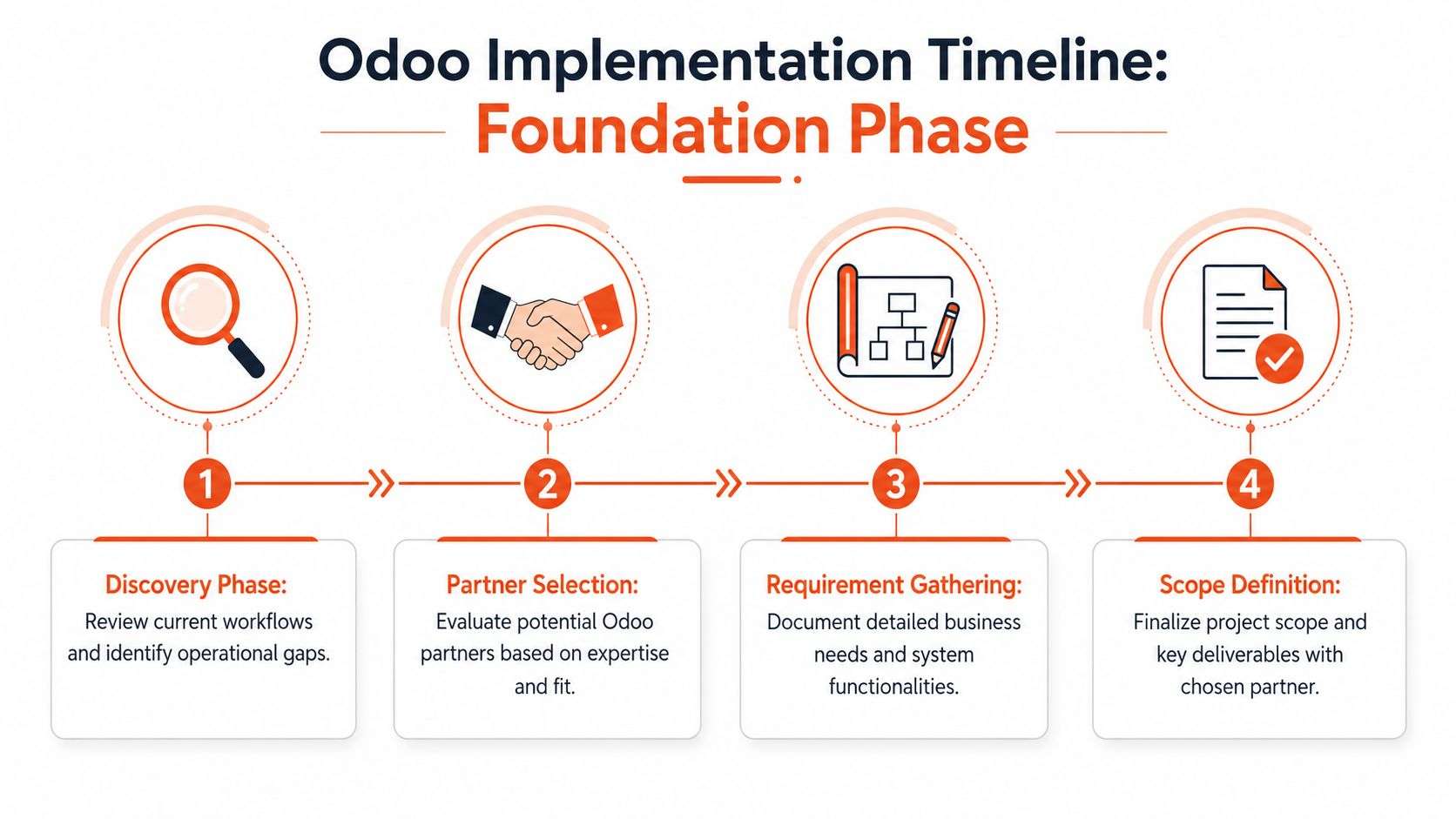
Building Your Foundation Discovery and Partner Selection
Most failed ERP projects don't fail because the software can't do the job. They fail because the business rushes past discovery, approves a vague scope, or hires a partner that doesn't understand the local operating environment.
In Australia, that early phase matters even more. Your system has to fit local financial governance, payroll obligations, GST handling, BAS reporting expectations, and the way your teams work on the ground.
Start with process review, not software demos
A credible Odoo implementation guide starts by examining the current business, not by picking apps off a list. Australian Odoo projects commonly follow a structured seven-step methodology that begins with process review and requirements gathering, and outcomes improve when local partners understand Australian financial governance and data protection obligations, as outlined in this Australian Odoo implementation roadmap.
That means asking blunt questions early:
Where does work get delayed?
Don't accept “our process is complicated” as an answer. Find the specific handoff that breaks.What must be live on day one?
Separate operational essentials from ideas that can wait.Which reports drive decisions?
If leadership never uses a report, don't build the project around it.What compliance requirements can't be compromised?
Accounting and payroll rules aren't optional design preferences.
Define scope in business language
The best scopes are operational, not technical. “We need automated reordering for low-stock items” is useful. “We need a custom stock engine” usually isn't, at least not at the beginning.
A practical discovery phase usually produces:
- Core workflows: Quote to cash, procure to pay, stock receipt to dispatch, hire to payroll.
- Priority modules: What must launch first and what belongs in phase two.
- Data decisions: Which records are worth migrating and which should be archived.
- Role clarity: Who approves decisions, who tests, and who signs off.
Practical rule: If a requirement can't be tied to a real user action or business risk, it probably shouldn't be in phase one.
Why a local ODOO partner Sydney Adelaide matters
A local ODOO partner Sydney Adelaide brings more than proximity. They're more likely to understand how Australian businesses handle BAS cycles, GST treatment, payroll setup, and local support expectations. That becomes important when decisions need to be made quickly and the conversation has to move beyond generic ERP language.
The same applies if your project overlaps with broader software development Sydney Adelaide capability. ERP rarely stands alone. Businesses often need website integration, portal work, custom workflows, reporting layers, or process automation around the ERP core. You don't want a partner who can configure screens but struggles when integration or custom development becomes necessary.
If you're comparing delivery options, review the approach used by experienced Odoo implementers in Australia and pay attention to how they define scope, manage validation, and handle support after launch.
What works and what doesn't
| Approach | What happens |
|---|---|
| Process-first discovery | The project starts with clear priorities and fewer surprises later |
| Partner chosen on cheapest quote | Scope gaps usually reappear as change requests and delays |
| Local compliance considered early | Accounting and payroll setup are cleaner at go-live |
| Customisation discussed before basic configuration | The team spends money solving problems the standard system may already handle |
Good discovery feels slower at the start. It saves time later. That trade-off is worth taking every time.
Designing Your Solution Module Selection and Customisation
Once the foundation is solid, the next decision is architectural. Which Odoo modules should you deploy, and which parts of the business should stay close to standard?
That choice shapes cost, speed, training effort, and upgrade complexity.
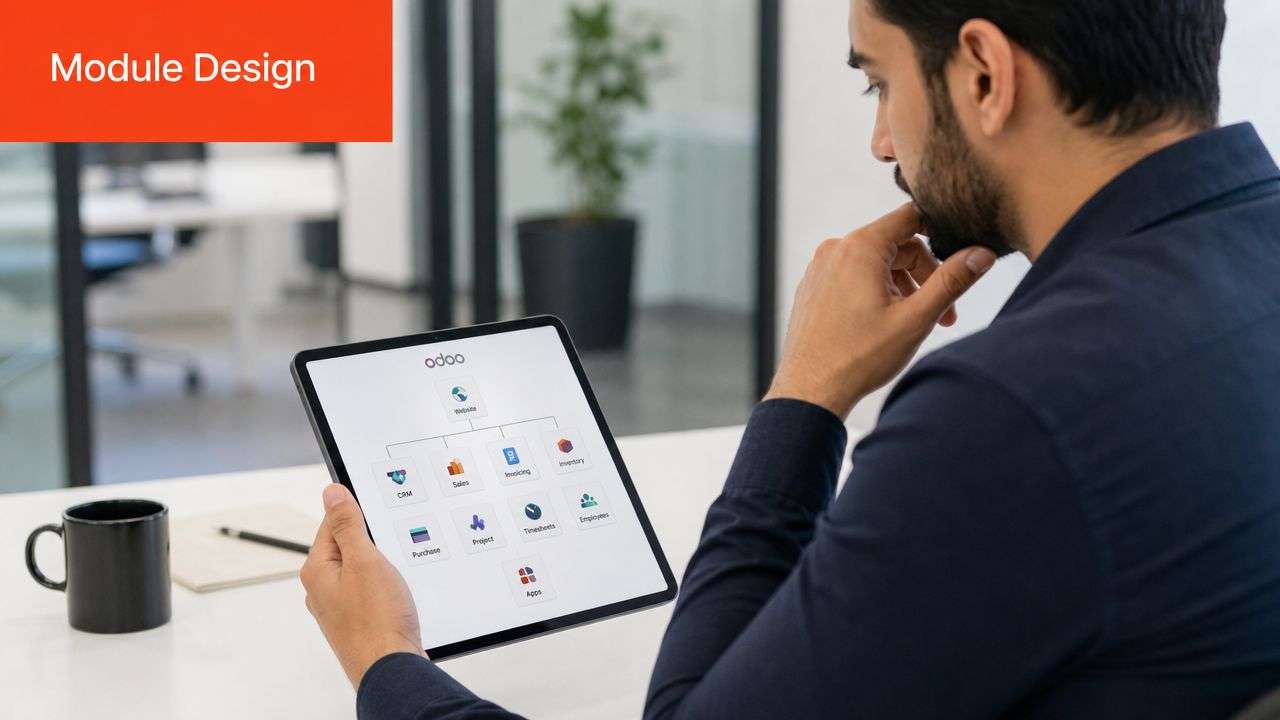
Pick modules by workflow, not by feature envy
The easiest way to overspend is to activate too much too early. Odoo has a wide app ecosystem, and it's tempting to switch on everything because it looks useful. That usually creates clutter and training fatigue.
A better approach is to map modules to the workflows that matter most right now.
Here's a practical way to look at this:
| Business type | Common starting modules | Why they matter |
|---|---|---|
| Retail and eCommerce | CRM, Sales, Inventory, Purchase, Accounting | Keeps customer orders, stock, suppliers, and financial records aligned |
| Manufacturing | MRP, Inventory, Purchase, Quality, PLM, Accounting | Supports bills of materials, production planning, quality controls, and cost visibility |
| Professional services | CRM, Sales, Projects, Timesheets, Accounting | Connects pipeline, delivery, billing, and profitability |
| Logistics and distribution | Inventory, Purchase, Sales, Accounting | Improves stock movement, supplier control, and dispatch accuracy |
A retailer doesn't need manufacturing complexity on day one. A manufacturer shouldn't force production into a sales-first design. The module set has to reflect how value is created in the business.
Australian localisation isn't optional
For any Australian rollout, the l10n_au localisation module belongs in the core design. The Odoo Australia localisation guide explains that l10n_au automatically applies default tax codes, chart of accounts, and payroll settings aligned with Australian requirements including GST, BAS, Fair Work awards, and Single Touch Payroll.
That has practical consequences from day one:
- GST setup is structured correctly
- BAS-related accounting starts from a compliant base
- Payroll configuration aligns with local obligations
- ATO reporting requirements are easier to support
If an implementation skips this or treats it as a later tidy-up task, the accounting team usually pays for that shortcut.
For Australian businesses, compliance isn't a finishing touch. It's part of system design.
Configuration versus customisation
Many projects tend to drift off course. Odoo is flexible, but flexibility doesn't mean every idea deserves custom code.
Think of standard modules as the house structure. Rooms, walls, services, and roof are already there. Customisation is the joinery, extension, or specialised fit-out. Some businesses need it. Many ask for it too early.
Stay with configuration when
- The process is common: Quotes, orders, receipting, invoicing, approvals.
- The requirement is mostly about fields and rules: User permissions, document layouts, workflows, tax settings.
- The request reflects habit, not advantage: “Make it look like our old system” is rarely a good reason.
Customise when
- Your process is truly distinctive: For example, a manufacturing approval chain or service workflow that creates competitive value.
- A customer or regulatory obligation requires it: Sometimes the business must support a specific process that standard settings won't cover.
- Integration logic needs bespoke handling: Especially where website, warehouse, or third-party systems need specific behaviour.
Practical cases from the field
A retail business running a Shopify implementation often wants Odoo to be the back-office engine, not the storefront replacement. In that case, the smart design usually centres on Sales, Inventory, Purchase, and Accounting, while the website remains customer-facing.
A manufacturer in Adelaide may need MRP, Quality, and Inventory first, with CRM added later. That keeps the first rollout focused on production control, supplier planning, and traceability instead of trying to digitise every department at once.
A services firm in Sydney may discover that standard Projects and Timesheets cover most operational needs. They don't need a heavy custom build. They need disciplined setup, user roles, and accurate billing flows.
The best design isn't the one with the most features. It's the one your team can run confidently while leaving room to grow.
The Critical Path Data Migration and Integrations
Data migration is where optimism meets reality. Most businesses assume their data is cleaner than it is, and most discover too late that old systems contain duplicates, dead products, inconsistent naming, missing tax logic, and customer records that no one fully trusts.
Odoo won't fix bad data by receiving it.
Clean before you move
The simplest principle in any ERP project is still the right one. Garbage in, garbage out. If product codes are inconsistent, supplier records are duplicated, or customer terms are wrong, the new system inherits those problems.
A disciplined migration usually focuses first on:
- Customers and suppliers: Remove duplicates, fix credit terms, confirm tax handling.
- Products: Standardise SKUs, units of measure, categories, and active status.
- Opening balances and stock data: Make sure finance and operations agree before import.
- Historical data: Migrate only what the business needs for operations or reporting.
Many projects slow down because teams insist on moving every legacy record. That sounds safe, but it often delays go-live and muddies the new environment.
Integrations are where hidden costs appear
This matters most for retail and eCommerce businesses. The ERP may be central, but it still has to connect to storefronts, couriers, gateways, and other platforms. A Shopify implementation integrated with Odoo needs clarity around orders, inventory sync, pricing rules, returns, refunds, and fulfilment statuses. The same is true for WooCommerce.
For Australian businesses, hidden integration costs are one of the most common budgeting mistakes. According to this Australian eCommerce Odoo cost guide, SMEs often underestimate ongoing Odoo costs by 30%, with support retainers commonly ranging from $500 to $2,000 per month and integration fees often falling between $2,000 and $15,000 per integration. The same source notes that these overlooked costs are especially relevant when connecting Odoo to platforms such as Shopify, WooCommerce, and local carriers.
That doesn't mean integrations are a bad idea. It means they need to be properly costed.
The first integration quote is only part of the story. Someone still has to support sync errors, field changes, API updates, and operational exceptions after launch.
A practical integration checklist
Before approving any third-party connection, check these points:
Ownership of data flow
Decide which system is master for products, pricing, stock, orders, and customers.Exception handling
Define what happens when a sync fails, a refund is partial, or inventory timing creates a mismatch.Support model
Confirm who monitors issues after go-live and how fixes are prioritised.Australian logistics fit
Local shipping and fulfilment workflows often add complexity that generic global guides miss.
If your business is planning a platform move or ERP transition, this is also the point to review the migration path through an ERP system migration approach that covers both data and operational continuity.
The businesses that handle this well don't chase the largest integration footprint. They build the smallest reliable ecosystem first, then add complexity when the core flow is stable.
Ensuring Success Testing Training and Change Management
A technically correct system can still fail. It fails when users don't trust it, don't understand it, or revert to spreadsheets the moment pressure rises.
That's why testing, training, and change management belong in the middle of the project, not at the tail end as a tidy-up task.
Test the real workflow, not just the screen
Odoo implementation methodology commonly includes business discovery, module mapping, customisation, data migration, testing and quality assurance, user training, and go-live planning, with deployment options such as Big Bang, phased, or hybrid described in this Odoo ERP implementation methodology overview.
In practice, testing needs layers:
- Functional testing: Does each module do what it should?
- Integration testing: Do systems exchange data correctly?
- User acceptance testing: Can your staff complete real tasks end to end?
- Performance and edge-case review: What happens under load or when something unusual occurs?
A warehouse manager shouldn't just confirm that a transfer screen opens. They should receive stock, process an exception, complete a pick, and validate what finance sees downstream. The same standard applies to payroll, purchasing, manufacturing, and eCommerce orders.
Training is operational insurance
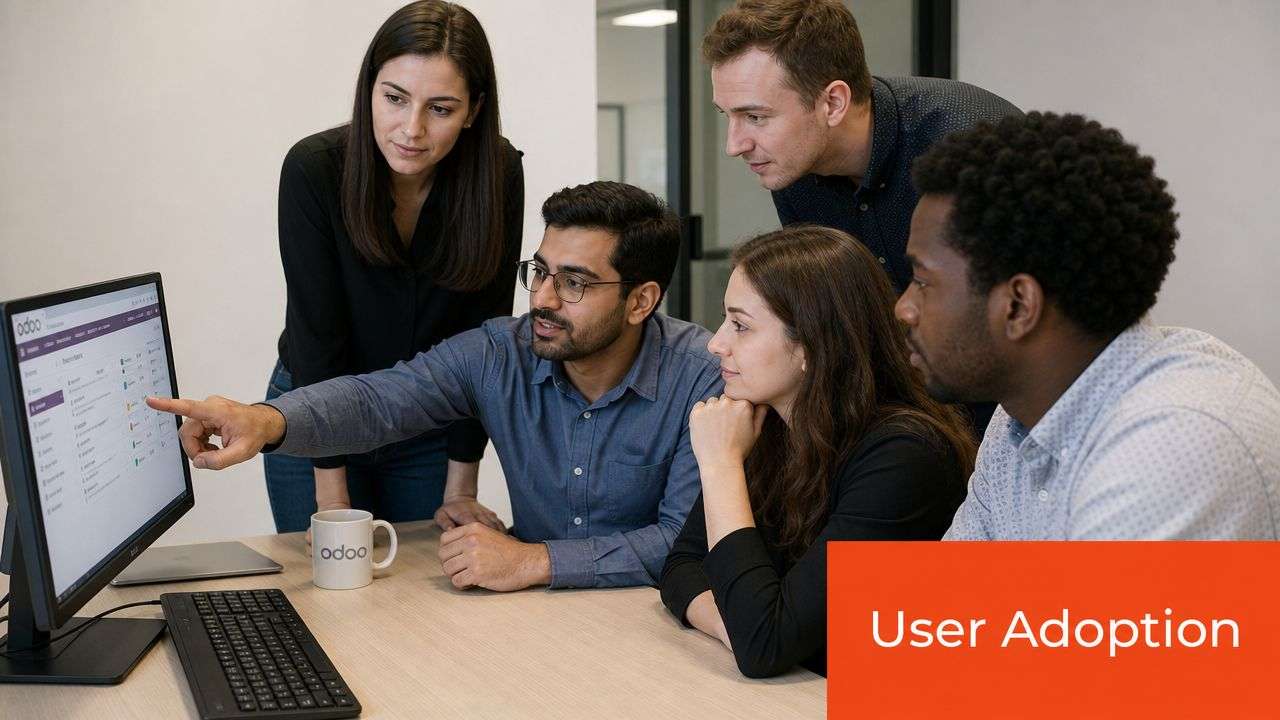
Training doesn't mean gathering staff in a room for one demo and calling it done. People need role-based guidance that reflects their daily work. Sales needs one view. Purchasing needs another. Finance needs the detail others don't.
The economics support taking this seriously. Odoo reports that projects using official Success Packs achieve a 98% success rate, compared with 65% without them, and it also highlights common failure points such as weak process analysis and poor alignment between business needs and selected modules in its Success Packs and implementation support information.
That gap tells you something important. Structured support, disciplined validation, and guided adoption materially improve outcomes.
What effective change management looks like
A useful internal rollout usually includes:
- Department champions: Pick respected users who can test early and support peers later.
- Scenario-based training: Teach “how we process a supplier receipt” or “how we handle a refund”, not just menu navigation.
- Cutover rules: Make it clear when the old spreadsheet or legacy tool stops being the source of truth.
- Feedback channels: Users need a way to raise issues quickly without bypassing the project process.
Good change management doesn't remove resistance. It gives staff enough clarity and confidence to work through it.
If your team needs a more structured adoption approach, it helps to review an ERP change management framework that treats training and internal buy-in as core delivery work, not admin.
The difference between weak and strong adoption
| Weak adoption pattern | Strong adoption pattern |
|---|---|
| Users watch demos but don't practise real tasks | Users test live scenarios relevant to their role |
| The old system remains available indefinitely | Cutover dates are clear and enforced |
| Training is generic | Training is role-specific and process-based |
| Issues are raised informally and lost | Issues are logged, prioritised, and resolved visibly |
When businesses underinvest here, they often blame the software later. Usually the system wasn't the core issue. The rollout was.
Go-Live Checklist and Post-Implementation Optimisation
Go-live should feel controlled, not heroic. If the team is relying on luck during cutover week, the project was set up poorly.
Most Australian businesses want to know the likely timeframe before they commit. A full Odoo implementation project in Australia typically takes 3 to 6 months, with smaller deployments taking 4 to 8 weeks and large, heavily customised rollouts taking 6 to 12 months, according to this Australian Odoo implementation timeline guide.
Choose the right deployment style
The deployment method should match operational risk.
Big Bang
Everything switches at once. This works when the scope is contained, the team is ready, and the business can tolerate a firm cutover.
Phased rollout
Modules or departments go live in stages. This lowers immediate disruption but can create temporary workarounds between old and new systems.
Hybrid
Critical functions go live first, while lower-risk areas follow shortly after. This often suits businesses that need control without dragging the project out.
No single model is always best. A small business with only a few modules may prefer a direct switch. A more complex manufacturer or distributor usually benefits from staged control points.
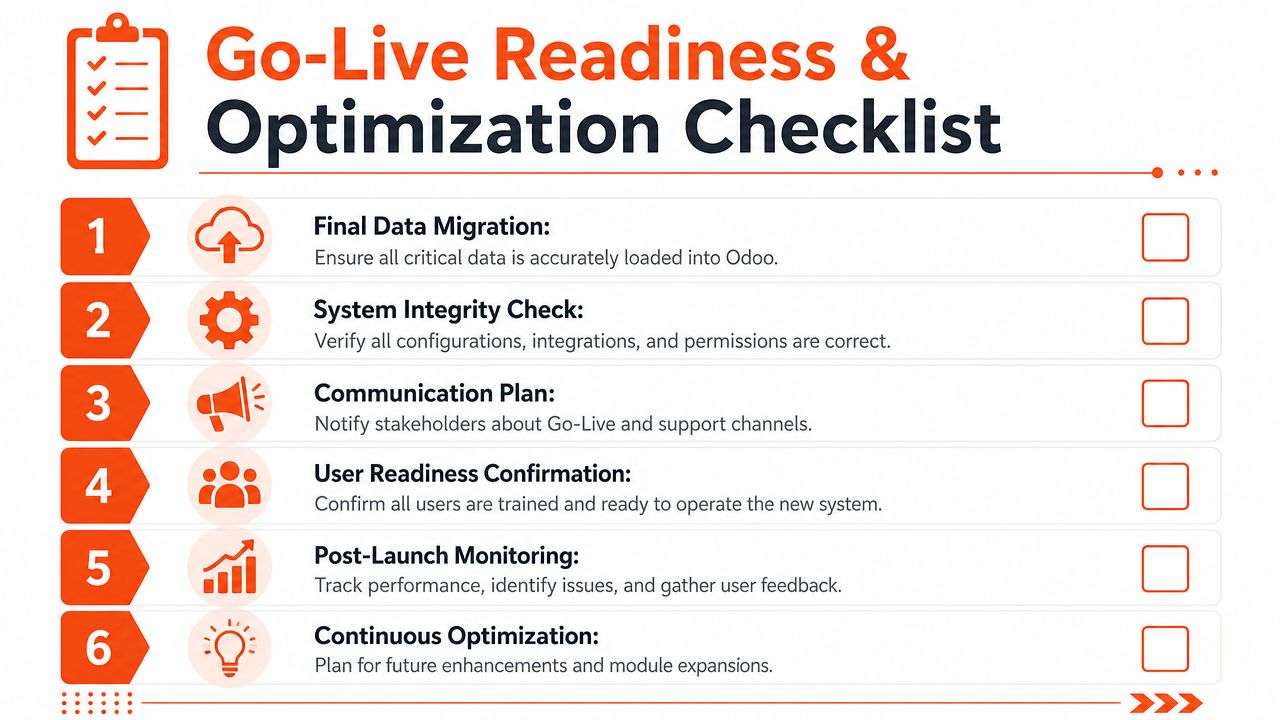
A practical go-live checklist
Use this as a pre-flight list before launch:
- Final data load: Confirm master data, opening balances, and stock figures are complete.
- Permissions review: Check approvals, access rights, and role-based visibility.
- Integration verification: Re-test any live website, payment, shipping, or third-party sync.
- User readiness: Make sure every operational role knows its first-week tasks.
- Support roster: Name who handles issues, triage, and escalation during the first days.
- Communication plan: Tell staff what changes, when it changes, and where to get help.
The first week after go-live is not the time to debate ownership, approval rules, or support contacts.
Hypercare and what happens next
The period immediately after launch is often called hypercare. It's the phase where the project team watches transactions closely, resolves issues quickly, and helps users build confidence in the new operating rhythm.
Common post-launch work includes:
Fixing edge cases
The system is live, but real-world exceptions now appear.Refining reports and screens
Users often need adjustments once they start working at volume.Tightening process discipline
Teams may still carry old habits into the new environment.Planning phase two
Once the foundation is stable, additional modules or refinements make more sense.
The strongest Odoo projects don't treat go-live as the finish line. They treat it as the point where real operational improvement begins.
Industry Roadmaps and Avoiding Common Pitfalls
Different industries use the same platform differently. That's why a good Odoo implementation guide shouldn't stop at generic ERP advice. The shape of the rollout needs to reflect how the business earns revenue, controls risk, and serves customers.
What a sensible roadmap looks like by industry
Retail and eCommerce
Retailers usually need control over orders, stock, fulfilment, supplier purchasing, and finance before anything else. If the business already has a strong storefront, keep the customer-facing experience stable and make Odoo the operational engine behind it. This is especially relevant where Shopify implementation or WooCommerce already plays a central commercial role.
The mistake here is trying to redesign the website, ERP, shipping logic, and reporting model all at once.
Manufacturing
Manufacturers need discipline around bills of materials, routing, production scheduling, quality checks, and procurement. The roadmap usually works best when inventory accuracy and purchasing discipline are fixed early, then production complexity is layered in carefully.
Where projects go wrong, teams ask for bespoke manufacturing logic before they've proven the standard flow with real data.
Logistics and supply chain
These businesses depend on stock movement, warehouse accuracy, receiving, dispatch, and purchasing reliability. Odoo can support the operating backbone well, but only if scanning steps, handoffs, and role permissions are planned properly.
If warehouse staff need six clicks for a simple movement, adoption will slip fast.
Hospitality and tourism
Operators often need booking-related workflows, purchasing control, payroll discipline, and management reporting. Simplicity matters. Frontline teams don't have time for heavy screens or unclear steps. The system needs to support service delivery, not slow it down.
Healthcare and clinics
Clinics and healthcare providers typically care about scheduling, billing, internal controls, and secure administration. They also need careful role-based access because not everyone should see the same information. A clean permissions model matters as much as module choice.
Education and training
Training providers usually need student administration, invoicing, scheduling, resource planning, and reporting. The best rollouts align operations around enrolment to delivery to invoicing, rather than trying to digitise every edge case in the first release.
Professional services
Accountants, lawyers, consultants, and similar firms often benefit from CRM, project or job tracking, timesheets, billing, and finance alignment. The trap is overbuilding. Many service firms need clarity and consistency more than they need deep custom software.
The mistakes that cost the most
Some project errors appear in every sector.
Poor planning early on
If discovery is vague, the project spends the rest of its life paying for that weakness.Scope creep disguised as urgency
Every “small request” feels reasonable in isolation. In aggregate, it derails timelines and budget.Weak partner fit
A partner can be technically capable and still wrong for your business if they don't understand Australian operational and compliance realities.Training treated as optional
Staff won't abandon old habits because management announced a new system.Integration assumptions left untested
This is common in online retail. Teams assume platforms will connect smoothly, then discover practical mismatches after launch.
The Australian cost reality
For Australian businesses, cost needs to be discussed honestly. One source focused on small-scale manufacturing in Australia estimates $6,000 to $15,000 for a 5 to 20 user implementation covering configuration, training, and initial setup, as described in this Australian Odoo implementation cost overview. Another 2026 Australia-focused estimate places Odoo Enterprise subscription costs at $195 to $450 per user per year, with partner implementation fees from $8,000 to $50,000+, and a realistic total budget of $25,000 to $45,000 for a 10-user business plus $5,000 to $10,000 annually for ongoing subscription and support, according to this 2026 Odoo implementation cost guide for Australian SMEs.
Those ranges aren't contradictory. They reflect different project sizes, module counts, and complexity levels. What matters is understanding which category your business falls into before signing anything.
Final practical advice
If you're evaluating Odoo ERP seriously, look for a partner who will challenge your assumptions, narrow the first scope, push compliance decisions early, and be candid about support after go-live. That matters more than polished demos.
For businesses comparing an ODOO partner Sydney Adelaide option, the right choice isn't the one that promises the most. It's the one that can deliver a controlled rollout, integrate with the tools you use, and support the broader software development Sydney Adelaide work that often surrounds a modern ERP project.
An Odoo implementation succeeds when the business keeps the first phase grounded. Clean workflows. A manageable scope. Good training. Realistic integration planning. Strong local guidance.
If your business is ready to replace disconnected systems with a practical, scalable Odoo ERP setup, Wistec can help you plan the rollout properly. From Australian Odoo implementation support to Shopify implementation, WooCommerce integration, and broader software development in Sydney and Adelaide, Wistec delivers solution-focused technology that keeps projects grounded in business reality.